
이번 글을 통해 배워갈 내용
- 리액트 컴포넌트
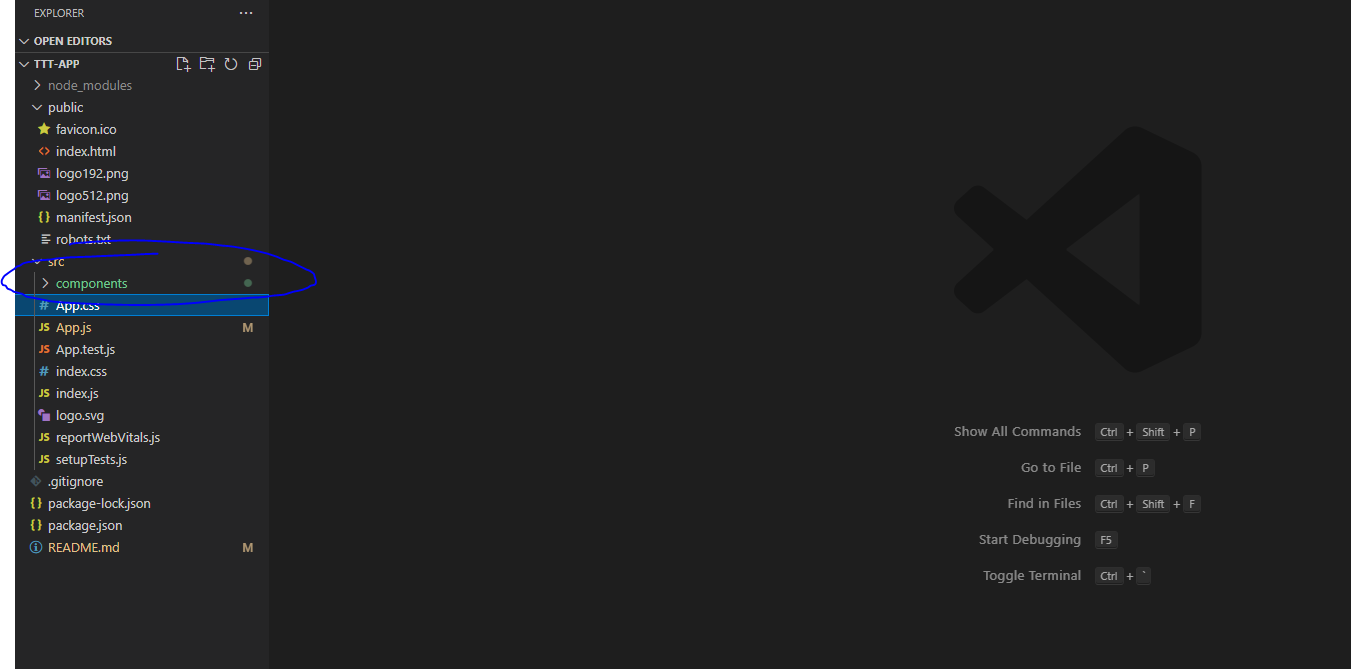
컴포넌트 폴더를 만들고
(src 폴더를 마우스 오른쪽으로 누른뒤 New folder 클릭 이름을 component로 설정)
그안에
|--->component
|--->Board.js
|--->Game.js
|--->Square.js
위와 같이 Board.js, Game.js, Square.js 파일을 추가해줍니다.
틱택토 게임에서 게임을 실행하면 보드가 있고 그안에 사각 모양이 있습니다.
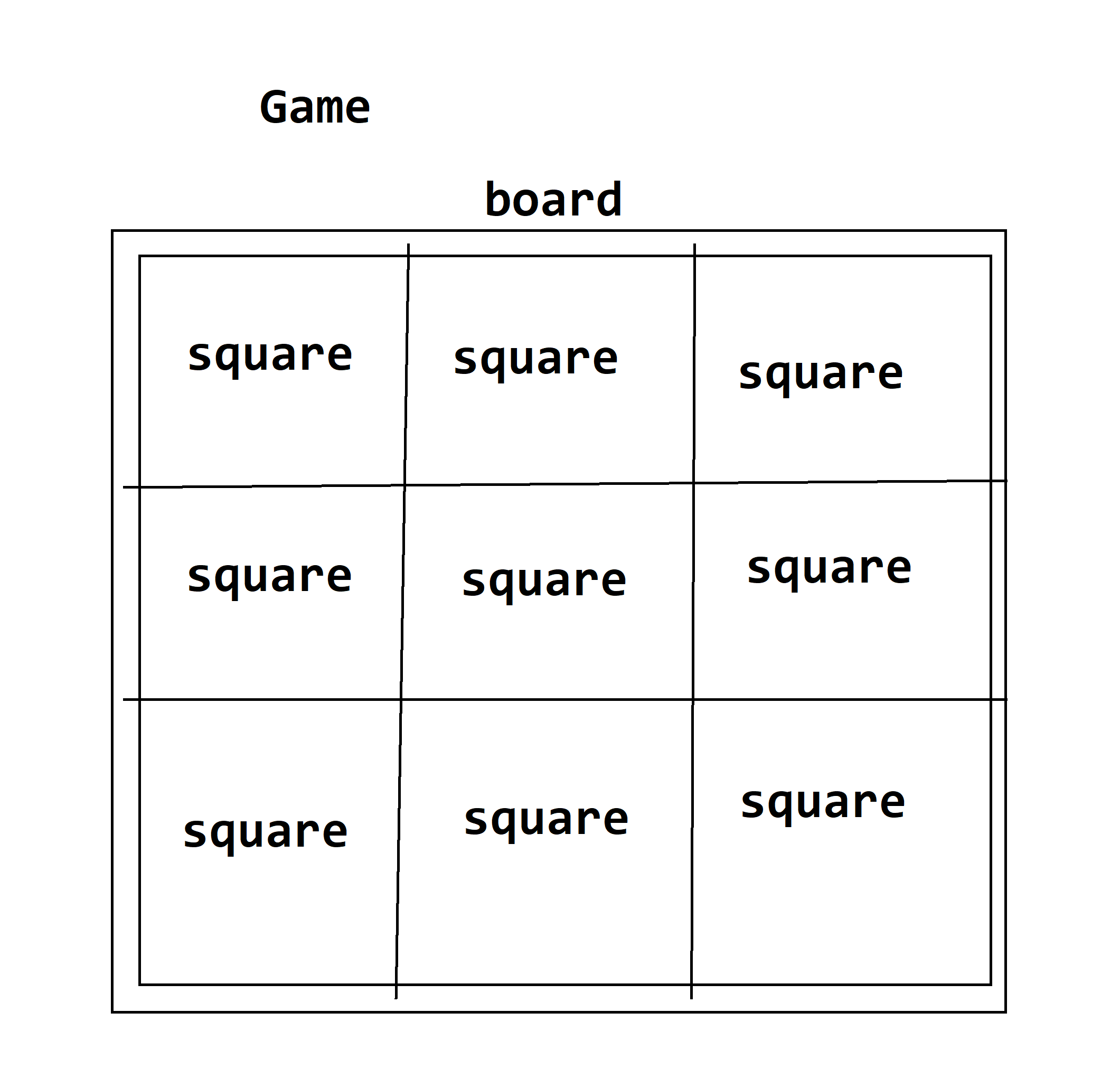
위와 같은 내용을 생각해 두고
https://codepen.io/gaearon/pen/oWWQNa
Tic Tac Toe
...
codepen.io
공식문서에 있는
틱택토 코드펜 코드를
학습적 용도로
참조및 인용해서
component 폴더 내에 있는 파일들을 작성하겠습니다.
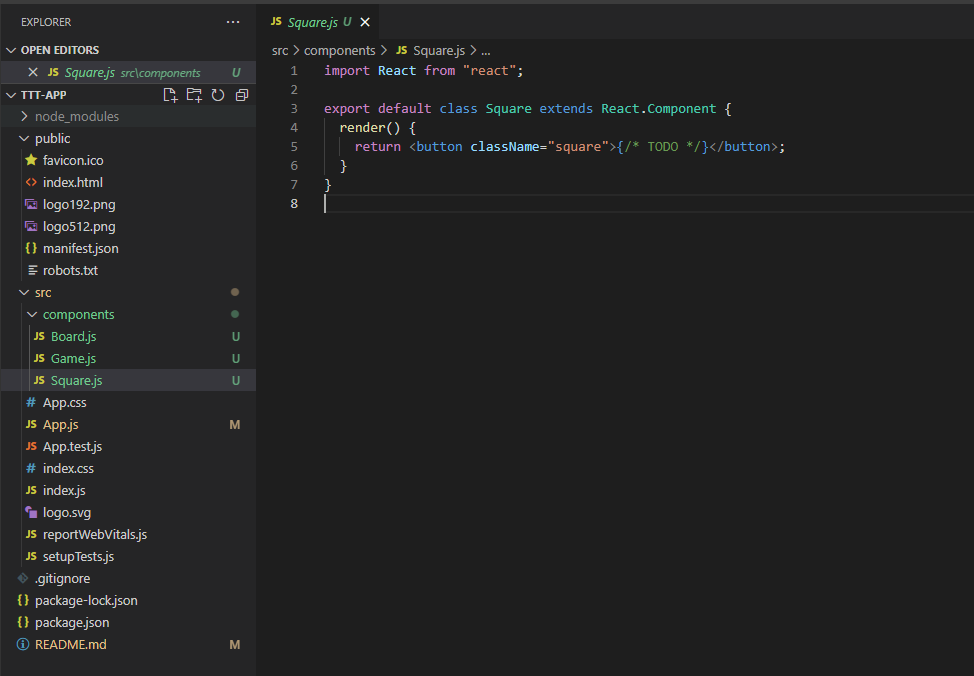
일단 정사각형 컴포넌트를 보시면
import React from "react";

export default class Square extends React.Component {
  render() {
    return <button className="square">{/* TODO */}</button>;
  }
}Square 클래스가 React 컴포넌트를 상속받아서
square라는 CSS 클래스 속성을 가진 버튼을 표시해줍니다.
모듈로 만들었기 때문에 export 해서 다른 곳에서 사용하겠습니다.
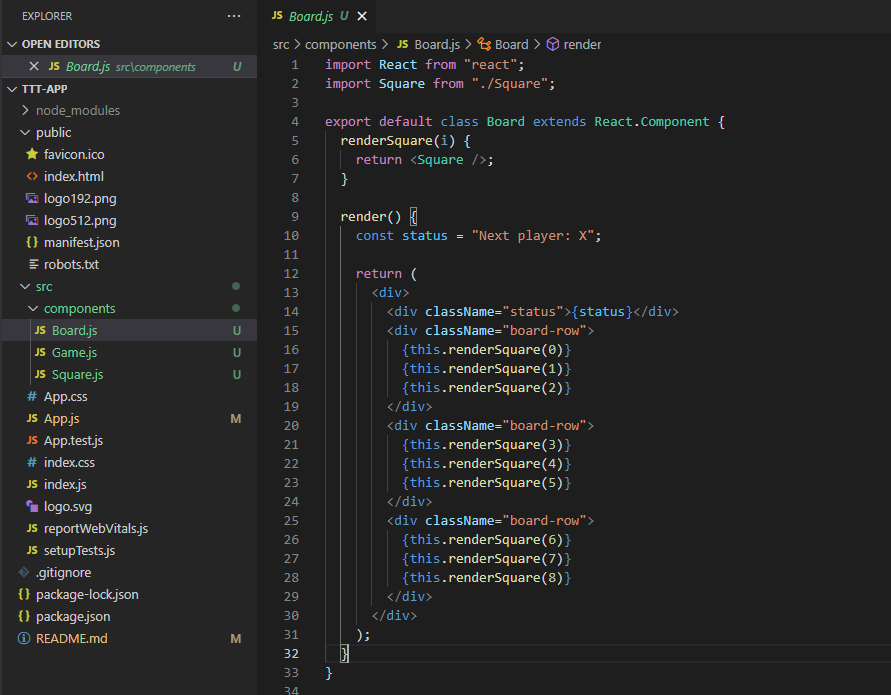
보드 컴포넌트를 보시면
import React from "react";
import Square from "./Square";

export default class Board extends React.Component {
  renderSquare(i) {
    return <Square />;
  }

  render() {
    const status = "Next player: X";

    return (
      <div>
        <div className="status">{status}</div>
        <div className="board-row">
          {this.renderSquare(0)}
          {this.renderSquare(1)}
          {this.renderSquare(2)}
        </div>
        <div className="board-row">
          {this.renderSquare(3)}
          {this.renderSquare(4)}
          {this.renderSquare(5)}
        </div>
        <div className="board-row">
          {this.renderSquare(6)}
          {this.renderSquare(7)}
          {this.renderSquare(8)}
        </div>
      </div>
    );
  }
}Square(정사각형) 컴포넌트를 import 해서
3 X 3 행렬에 정사각형 컴포넌트를 render 해줍니다.
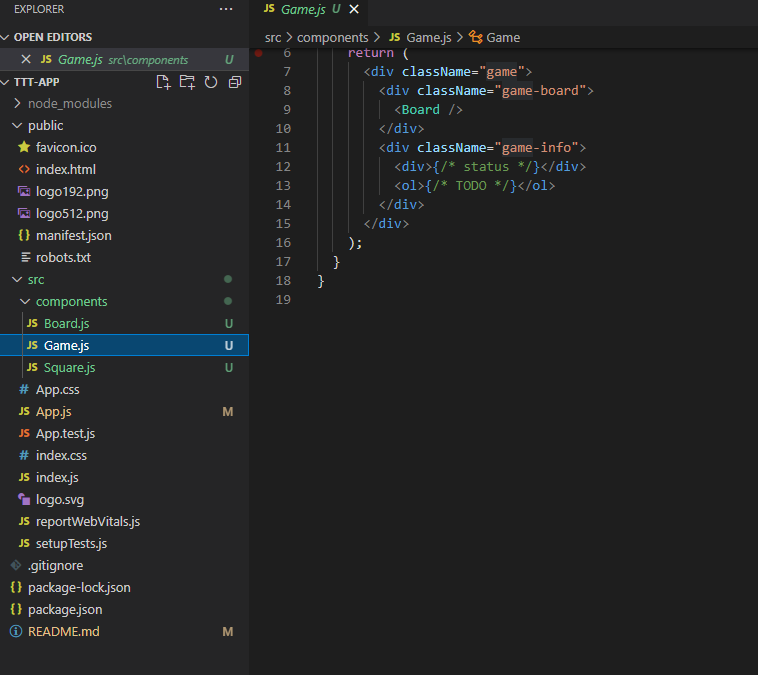
마지막으로 게임 컴포넌트를 만들어 줍니다.
import React from "react";
import Board from "./Board";

export default class Game extends React.Component {
  render() {
    return (
      <div className="game">
        <div className="game-board">
          <Board />
        </div>
        <div className="game-info">
          <div>{/* status */}</div>
          <ol>{/* TODO */}</ol>
        </div>
      </div>
    );
  }
}
이제 App.js 파일에서 Game Component를 임포트 하고
npm start를 해보시면
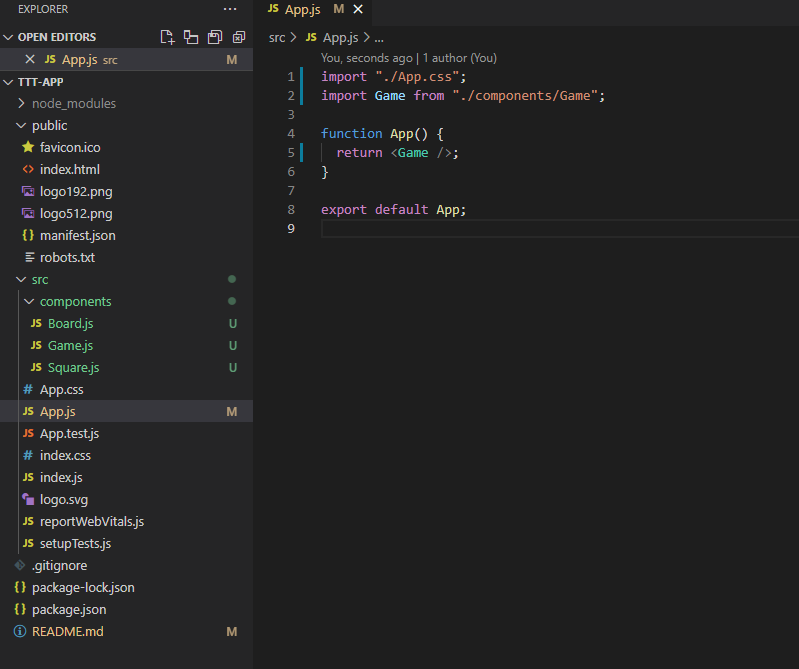

위와 같이 나옵니다.
이제 CSS를 이용해서 스타일을 추가해주겠습니다.
시간관계상 공식문서에 있는 Tic Tac Toe 코드를 써서 index.css 를 수정해주겠습니다.
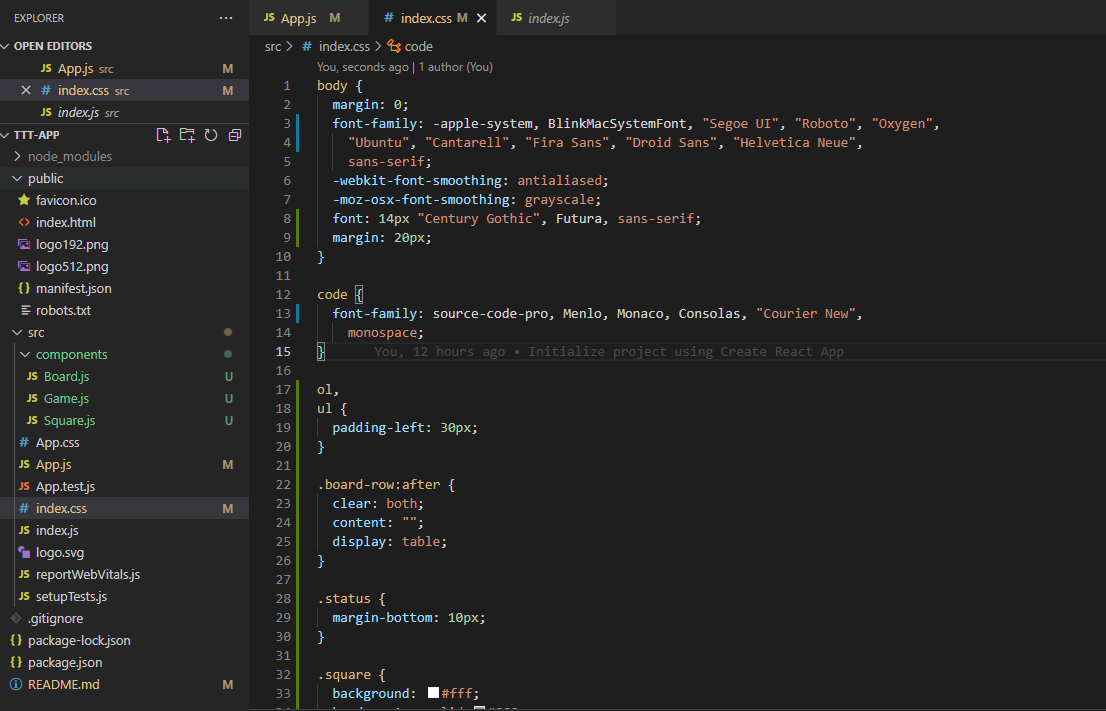
body {
  margin: 0;
  font-family: -apple-system, BlinkMacSystemFont, "Segoe UI", "Roboto", "Oxygen",
    "Ubuntu", "Cantarell", "Fira Sans", "Droid Sans", "Helvetica Neue",
    sans-serif;
  -webkit-font-smoothing: antialiased;
  -moz-osx-font-smoothing: grayscale;
  font: 14px "Century Gothic", Futura, sans-serif;
  margin: 20px;
}

code {
  font-family: source-code-pro, Menlo, Monaco, Consolas, "Courier New",
    monospace;
}

ol,
ul {
  padding-left: 30px;
}

.board-row:after {
  clear: both;
  content: "";
  display: table;
}

.status {
  margin-bottom: 10px;
}

.square {
  background: #fff;
  border: 1px solid #999;
  float: left;
  font-size: 24px;
  font-weight: bold;
  line-height: 34px;
  height: 34px;
  margin-right: -1px;
  margin-top: -1px;
  padding: 0;
  text-align: center;
  width: 34px;
}

.square:focus {
  outline: none;
}

.kbd-navigation .square:focus {
  background: #ddd;
}

.game {
  display: flex;
  flex-direction: row;
}

.game-info {
  margin-left: 20px;
}
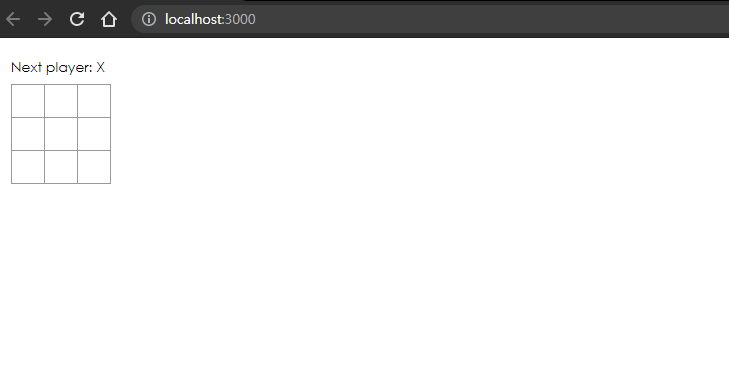
아직 상호작용은 할 수 없지만
틱택토 게임의 기본적인 모양은 갖춰진것을 알 수 있습니다.
그럼 다음 강의에서는 props를 이용해서 데이터를 전달해 보겠습니다.
감사합니다.
코드보기
https://github.com/songk1992/react_tic_tac_toe_lecture
GitHub - songk1992/react_tic_tac_toe_lecture: 리액트로 틱택토 게임 만들면서 기초 배우기
리액트로 틱택토 게임 만들면서 기초 배우기 . Contribute to songk1992/react_tic_tac_toe_lecture development by creating an account on GitHub.
github.com
참조 및 인용 문서
https://reactjs.org/tutorial/tutorial.html
Tutorial: Intro to React – React
A JavaScript library for building user interfaces
reactjs.org
https://codemasterkimc.tistory.com/50
300년차 개발자의 좋은 코드 5계명 (Clean Code)
이번 글을 통해 배워갈 내용 좋은 코드(Clean Code)를 작성하기 위해 개발자로서 생각해볼 5가지 요소를 알아보겠습니다. 개요 좋은 코드란 무엇일까요? 저는 자원이 한정적인 컴퓨터 세상에서 좋
codemasterkimc.tistory.com
'Javascript > React' 카테고리의 다른 글
| 리액트로 틱택토 게임 만들면서 기초 배우기 # 5 (상호작용하는 Component 만들기) (0) | 2021.08.07 |
|---|---|
| 리액트로 틱택토 게임 만들면서 기초 배우기 # 4 (props 사용하기) (0) | 2021.08.07 |
| 리액트로 틱택토 게임 만들면서 기초 배우기 # 2 (리액트 VirtualDom 조작해보기) (0) | 2021.08.06 |
| 리액트로 틱택토 게임 만들면서 기초 배우기 # 1 (리액트 설치) (0) | 2021.08.06 |
| github에서 pull 받어서 React App을 실행하기 (1) | 2021.07.31 |