[ArgoCD] CD 구축해 보기
```
[k8s] 아르고시디 Continuous Deployment/Delivery 구축해 보기
```

이번 글을 통해 배워갈 내용
- 개요
- ArgoCD 정의
- ArgoCD 설치
- ArgoCD 접속
- argocli 설치
- ArgoCD Github SSH 인증 및 연동
- ArgoCD Github Directory에 해당되는 앱 생성
- Jenkins CI 연결
1. 개요
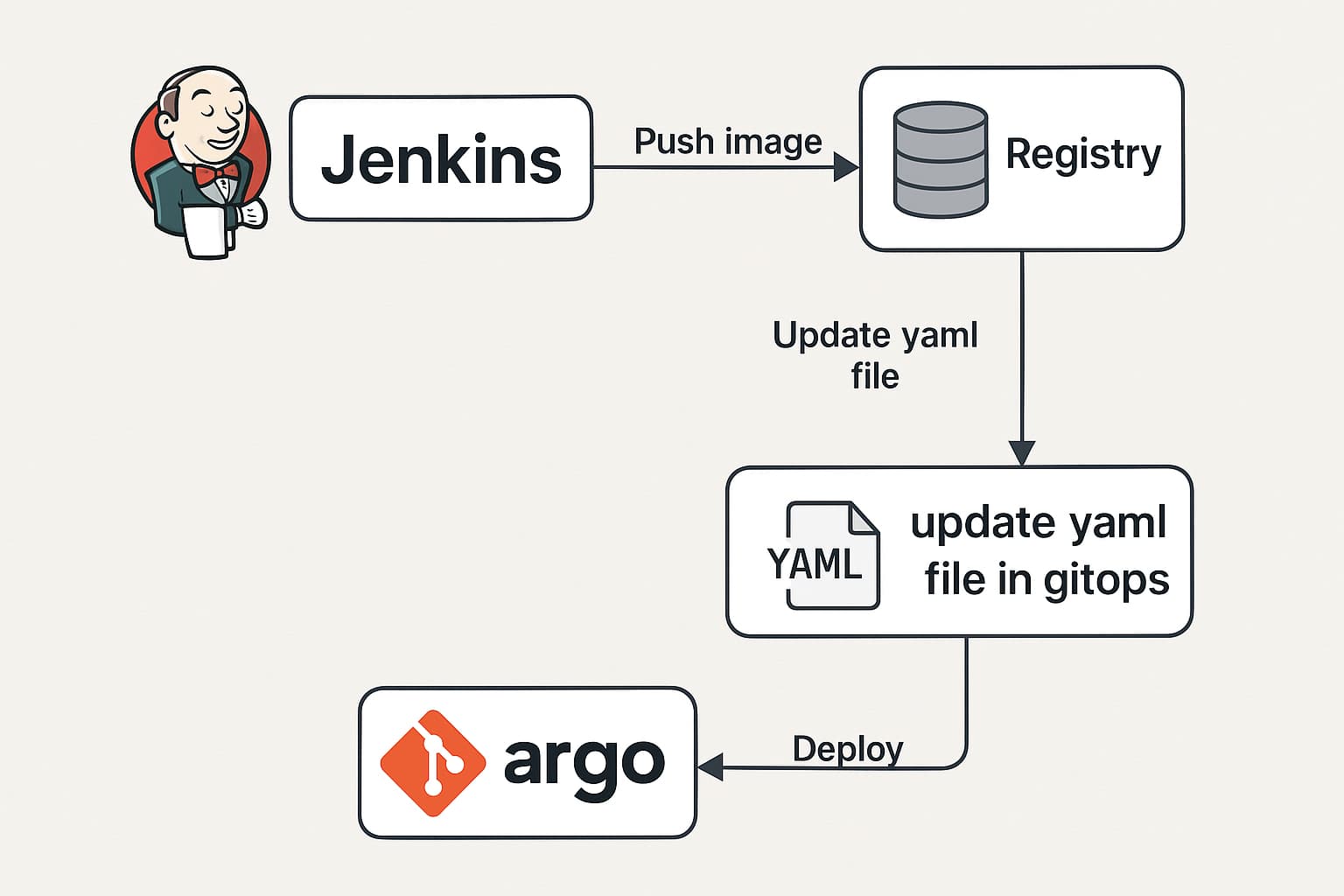
이번 글에서는 간단하게 Argo CD로 GitOps 저장소에 업데이트가 있으면 이를 감지하여 자동으로 배포하는 CI/CD 파이프라인을 구축해 보겠습니다.
2. ArgoCD 정의
Argo CD는 Kubernetes용 GitOps 배포 도구로, Git을 단일 신뢰 소스(Single Source of Truth)로 사용합니다.
Argo CD를 가지고 Helm, Kustomize, YAML 등으로 정의된 manifest를 자동으로 배포하고 버전 관리할 수 있습니다.
이를 통해서 선언적이고 자동화된 배포를 이룰 수 있습니다.
조금 더 자세히 기능을 알아보자면
- 지정된 대상 환경에 애플리케이션 자동 배포
- Kustomize, Helm, Jsonnet, YAML 등 다양한 구성 도구 지원
- 다중 클러스터 관리 및 배포 가능
- SSO 통합 지원 (OIDC, OAuth2, LDAP, SAML 2.0, GitHub 등)
- 멀티 테넌시 및 RBAC 기반 권한 제어
- Git에 커밋된 구성으로 롤백/임의 위치로 롤아웃 가능
- 애플리케이션 리소스의 상태 분석
- 구성 드리프트 자동 감지 및 시각화
- 원하는 상태로 자동 또는 수동 동기화
- 실시간 애플리케이션 활동을 보여주는 웹 UI
- 자동화 및 CI 통합을 위한 CLI 제공
- GitHub, GitLab, Bitbucket과 웹훅 연동
- 자동화를 위한 액세스 토큰 지원
- 복잡한 배포(예: 블루/그린, 카나리)를 위한 PreSync, Sync, PostSync 훅 지원
- 애플리케이션 이벤트 및 API 호출에 대한 감사 로그
- Prometheus 메트릭 연동
- Git에 정의된 Helm 파라미터 오버라이드 기능
라고 ArgoCD 공식 웹사이트에 명시되어 있습니다.
https://argo-cd.readthedocs.io/en/stable/
3. ArgoCD 설치
공식문서에 있는 설치 YAML을 사용해서 설치했습니다.
kubectl create namespace argocd
kubectl apply -n argocd -f https://raw.githubusercontent.com/argoproj/argo-cd/stable/manifests/install.yaml
yaml을 확인해 보면 대략 이런 기능들이 있는 것 같습니다
argocd-server: API 서버 및 웹 UI 제공
argocd-repo-server: Git 저장소를 클론하고 관리
argocd-application-controller: Git에 정의된 원하는 상태와 클러스터의 실제 상태를 동기화
argocd-dex-server: 인증 처리 (SSO 지원 포함)
argocd-redis: 캐싱 및 세션 관리
argocd-notifications-controller (선택 사항): 알림 기능 처리
UI, SSO, 다중 클러스터 기능이 필요 없다면 Core 도 좋은 선택일 것 같습니다
https://argo-cd.readthedocs.io/en/stable/operator-manual/core/#installing
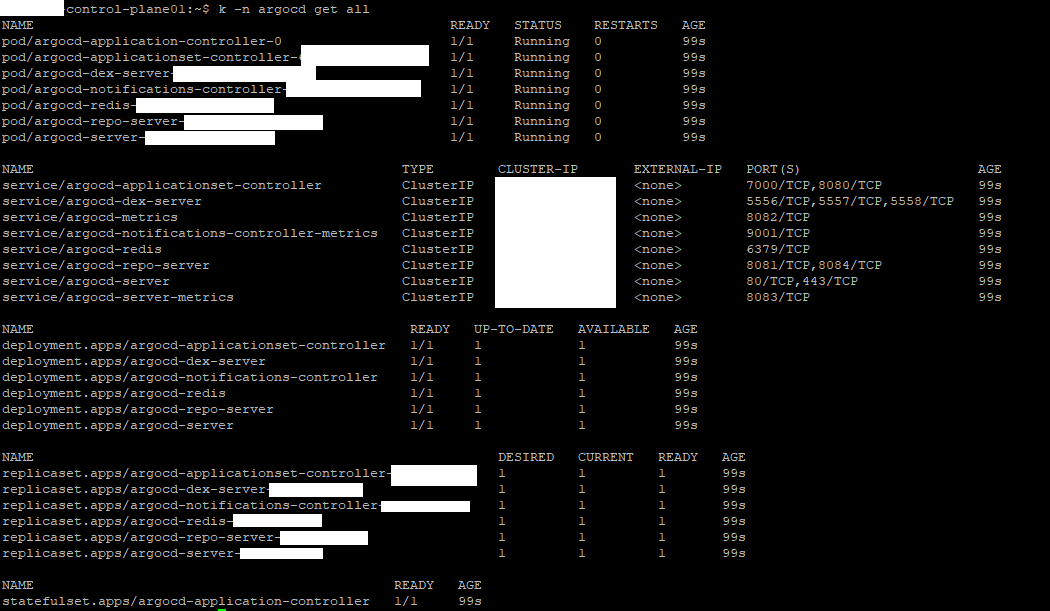
설치가 잘된 것을 확인했습니다.
4. ArgoCD 접속
ingress, load balancer 등으로 연결해서 외부 접근 하는 방법도 있겠지만
개인용 프로젝트고 Zero Trust 가 Default여서 리눅스 SSH 터널링과 port forward로 접속했습니다
kubectl port-forward svc/argocd-server -n argocd 8080:443
초기 비밀번호 확인 후에
kubectl -n argocd get secret argocd-initial-admin-secret -o jsonpath="{.data.password}" | base64 -d
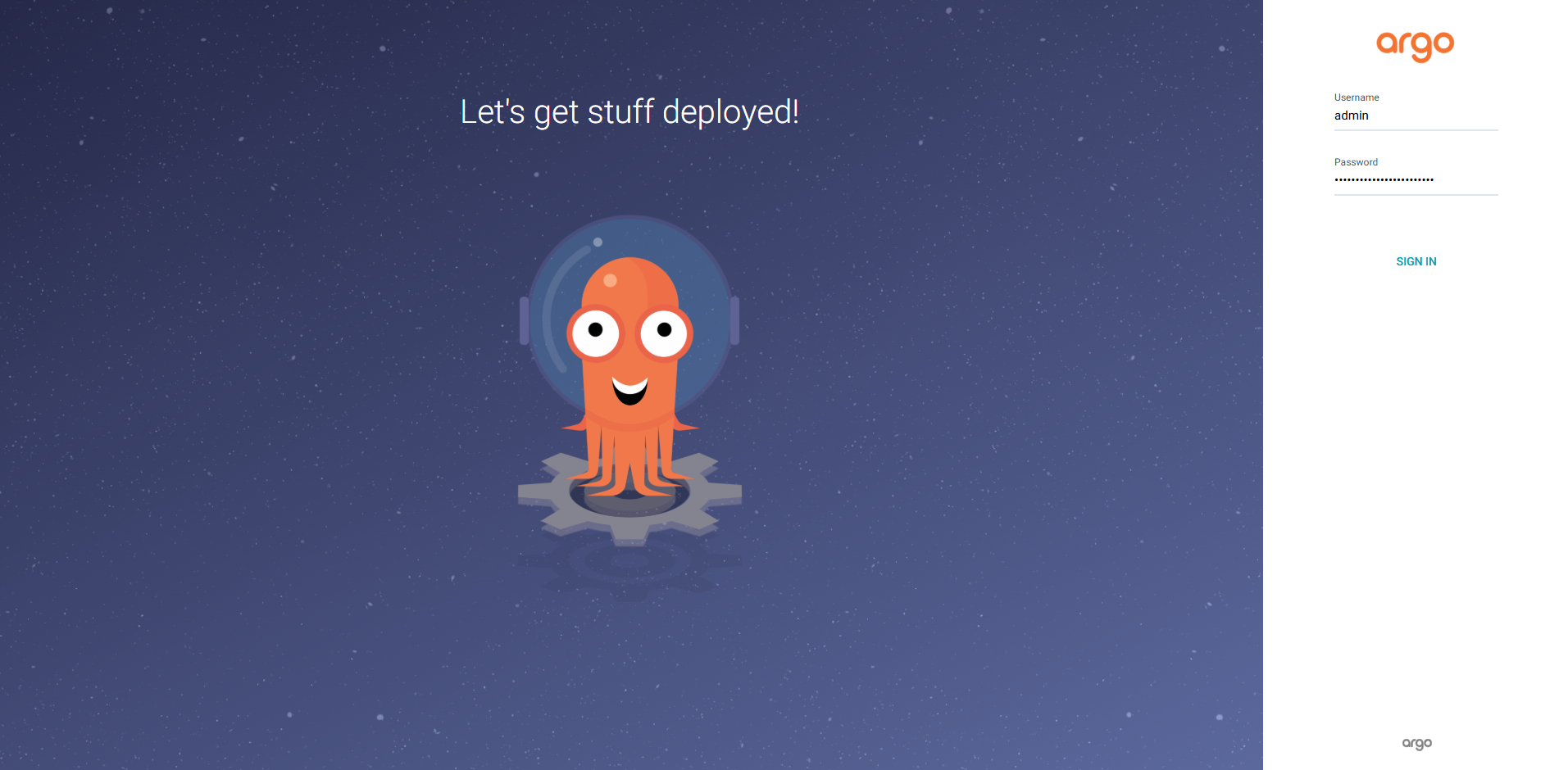
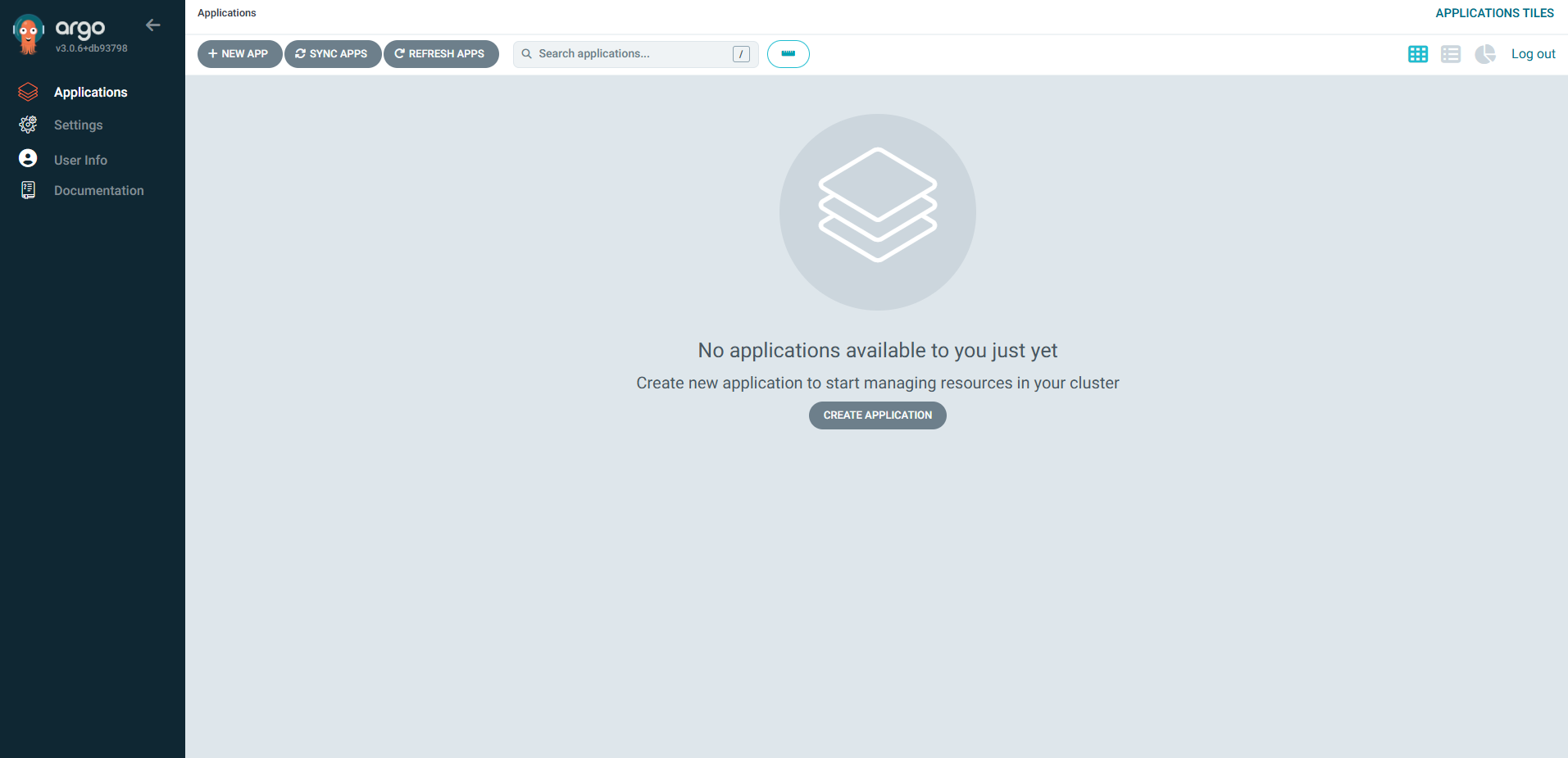
로그인
5. argocli 설치
Argo cli는 쿠버네티스에서 워크플로우를 생성, 관리, 모니터링할 수 있게 해주는 명령줄 도구입니다.
# Detect OS
ARGO_OS="darwin"
if [[ "$(uname -s)" != "Darwin" ]]; then
  ARGO_OS="linux"
fi

# Download the binary
curl -sLO "https://github.com/argoproj/argo-workflows/releases/download/v3.7.0-rc4/argo-$ARGO_OS-amd64.gz"

# Unzip
gunzip "argo-$ARGO_OS-amd64.gz"

# Make binary executable
chmod +x "argo-$ARGO_OS-amd64"

# Move binary to path
mv "./argo-$ARGO_OS-amd64" /usr/local/bin/argo

# Test installation
argo version

# 참조 https://github.com/argoproj/argo-workflows/releases/
https://argo-workflows.readthedocs.io/en/latest/walk-through/argo-cli/
argocd cli
GitOps 관리용 CLI인 argocd cli도 설치해 줍니다
curl -sSL -o argocd-linux-amd64 https://github.com/argoproj/argo-cd/releases/latest/download/argocd-linux-amd64
sudo install -m 555 argocd-linux-amd64 /usr/local/bin/argocd
rm argocd-linux-amd64
https://argo-cd.readthedocs.io/en/stable/cli_installation/
argocd로 서버 로그인
argocd login <ARGOCD_SERVER> --username admin --password <PASSWORD>
6. ArgoCD Private Github SSH 인증 및 연동
6-1
먼저 SSH 키를 생성합니다
ssh-keygen -t ed25519 -C "argocd" -f argocd_rsa
-t ed25519: 보안성이 높은 ed25519 알고리즘 사용
-C "argocd": 키에 대한 식별 주석
-f argocd_rsa: 키 파일 이름 지정 (argocd_rsa와 argocd_rsa.pub 생성됨)
6-2
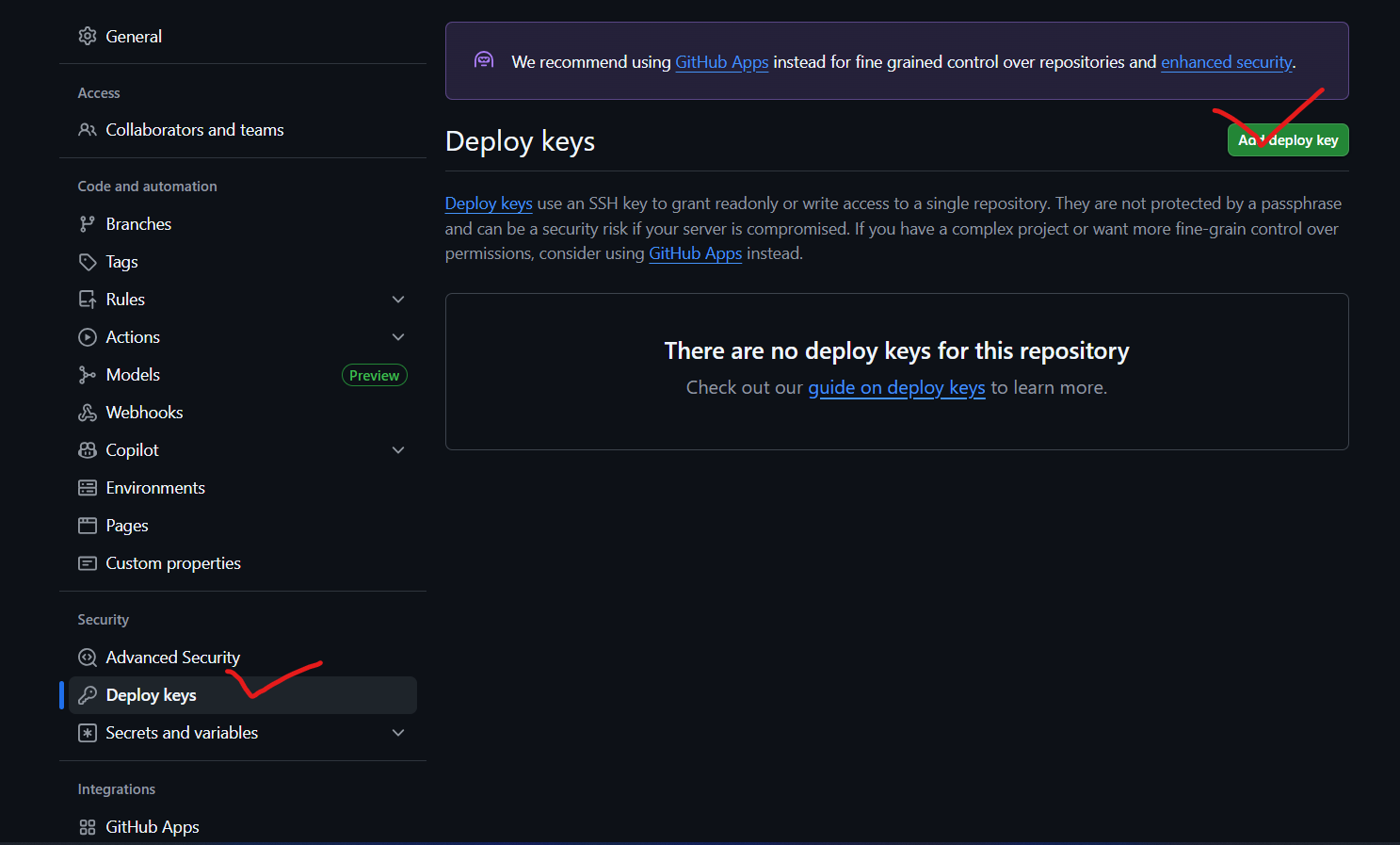
그다음 Github에 공개키를 등록합니다
Settings > Deploy Keys > Add Key
argocd_rsa.pub 파일 내용을 붙여 넣기
Allow read access only 체크 후 저장
6-3
argocd에 git repo 등록
argocd repo add git@github.com:your-username/your-private-repo.git \
  --ssh-private-key-path ./argocd_rsa
7. ArgoCD Github Directory에 해당되는 앱 생성
UI로 애플리케이션을 생성할 수도 있지만, CLI를 사용하는 것이 더 빠르고 편리하기 때문에 아래 방법을 추천합니다.
argocd app create app-a \
  --repo git@github.com:your-username/your-private-repo.git \
  --path app-a/k8s \
  --dest-server https://kubernetes.default.svc \
  --dest-namespace app-a
app-a: 생성할 애플리케이션 이름
--repo: Git 리포지토리 주소
--path: 해당 리포지토리 내 Kubernetes 매니페스트 경로
--dest-server: 클러스터 API 주소 (기본 클러스터를 사용할 경우 그대로 유지)
--dest-namespace: 리소스를 배포할 Kubernetes 네임스페이스
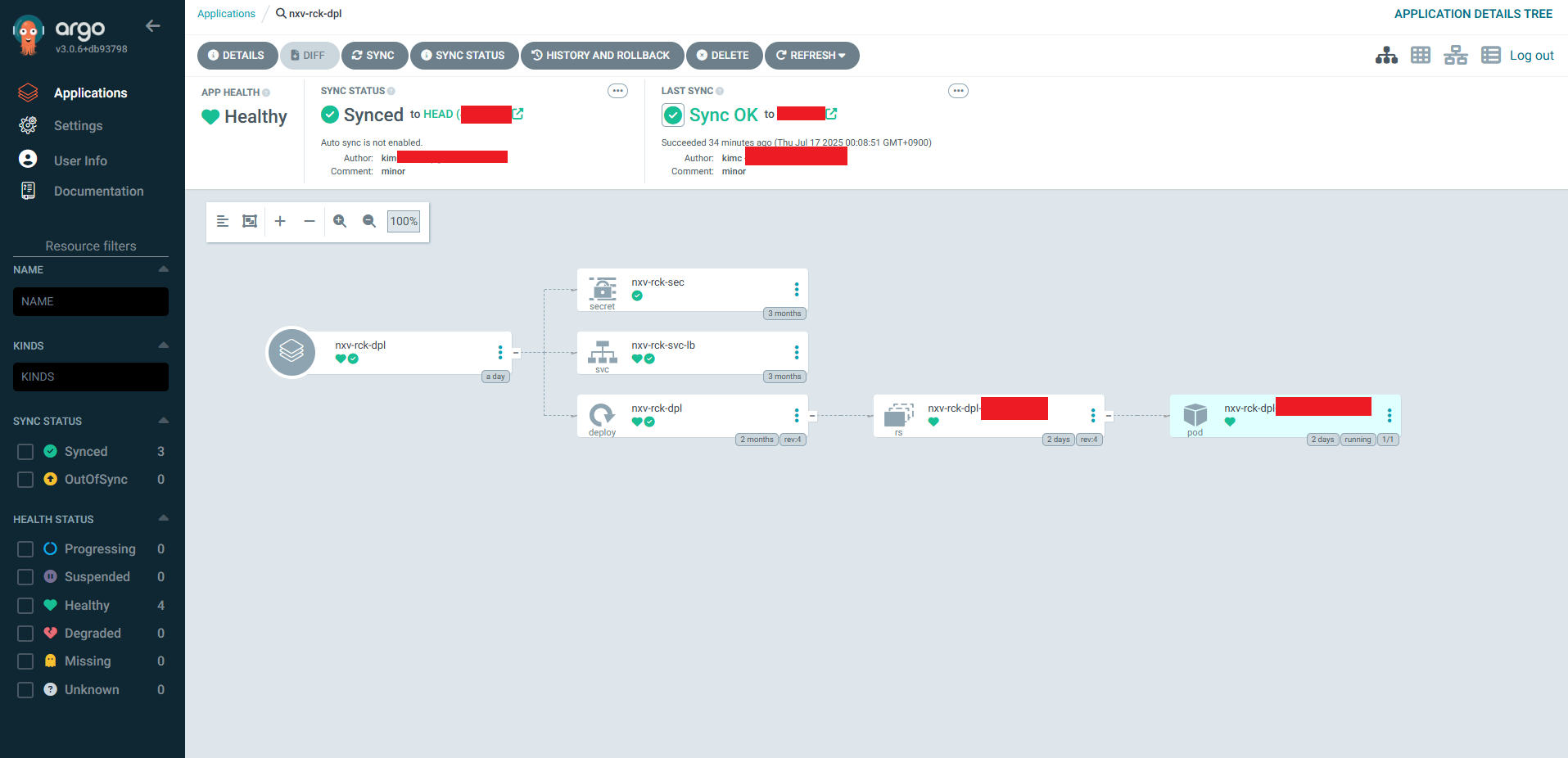
이 명령어 실행 후 Argo CD UI나 CLI에서 앱 상태를 바로 확인할 수 있습니다.
8. Jenkins CI 연결
linux 환경이라면 ssh를 활용하겠지만
(sshagent plugin 설치 후 Jenkins에 git SSH 자격 증명)
윈도우 환경이어서 그리고 용도와 의도에 맞게
git find grained token을 통한 인증을 활용했습니다.
pipeline {
  agent any

  environment {
    REGISTRY = 'your-registry-url.com'             // 사용할 Docker 레지스트리 주소
    IMAGE_NAME = 'your-app-name'                   // Docker 이미지 이름
    VERSION = "v${BUILD_NUMBER}"                   // 이미지 버전 (빌드 번호 기반)
  }

  stages {

    stage('Build and Push Docker Image') {
      steps {
        dir('/path/to/your/project') {             // 소스코드가 위치한 디렉터리
          withDockerRegistry(credentialsId: 'docker-registry-creds', url: "https://${env.REGISTRY}") {
            script {
              // Docker 이미지 빌드 및 푸시
              def image = docker.build("${REGISTRY}/${IMAGE_NAME}:${VERSION}", '.')
              image.push("${VERSION}")              // 버전 태그로 푸시
              image.push('latest')                 // latest 태그로도 푸시 (선택 사항)
            }
          }
        }
      }
    }

    stage('Update GitOps Deployment') {
      steps {
        script {
          // GitOps 배포 YAML 파일의 이미지 태그를 최신으로 업데이트
          def deploymentFile = '/path/to/your/deployment.yaml'    // 배포 YAML 경로
          def oldText = readFile(deploymentFile)
          def newText = oldText.replaceAll(/image: .*\/your-app-name:.*/, "image: ${REGISTRY}/${IMAGE_NAME}:${VERSION}")
          writeFile file: deploymentFile, text: newText

          // GitHub에 변경 사항 커밋 및 푸시
          withCredentials([usernamePassword(credentialsId: 'git-https-creds', usernameVariable: 'GIT_USER', passwordVariable: 'GIT_PASS')]) {
            dir('/path/to/your/gitops-repo') {                    // GitOps 리포지토리 위치
              bat 'git config --global --add safe.directory "."'
              bat 'git config --local user.name "CI Bot"'         // Git 사용자 이름
              bat 'git config --local user.email "ci@example.com"' // Git 이메일
              bat 'git remote set-url origin https://%GIT_USER%:%GIT_PASS%@github.com/your-org/your-repo.git'
              bat 'git add .'
              bat 'git commit -m "Update %IMAGE_NAME% to %VERSION%" || echo Nothing to commit'
              bat 'git push origin main'
            }
          }
        }
      }
    }
  }
}
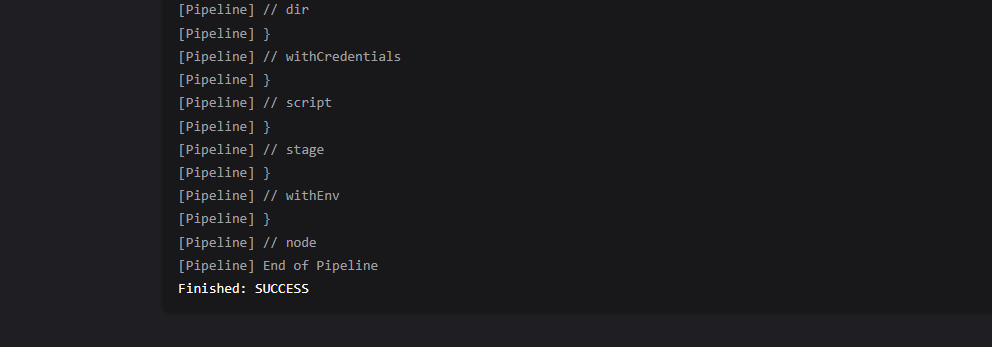
이전 젠킨스 관련글을 참고하셔도 좋습니다.
https://codemasterkimc.tistory.com/743
window에 Jenkins CI 구축해보기
윈도우에 Jenkins CI 구축해 보기```윈도우에 젠킨스 CI 구축해 보기``` 이번 글을 통해 배워갈 내용소개설치도커파일 세팅파이프라인 세팅실행 및 확인마무리 1. 소개Jenkins를 Windows 환경에 설치해
codemasterkimc.tistory.com
9. 결론
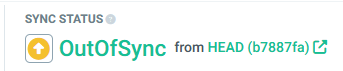
ArgoCD를 활용한 배포 환경을 비교적 간단히 구축했습니다.
필요에 따라서 Delivery와 Deployment 관점에서
수동 혹은 자동으로 세팅도 가능할 것 같으며
Git을 Single Source of Truth로 사용하는 게 좋은 것 같습니다
기능은 정상적으로 동작하고 있으며, 보안 측면에서는 향후 개선이 필요한 것 같습니다.
Jenkins는 윈도우, ArgoCD는 Linux k8s containerd container에 구축했는데
추후 기회가 된다면
외부 연결 없이 Private Cluster 안에 Git, ArgoCD, Jenkins를 모두 구축하면 좋을 것 같습니다.
읽어주셔서 감사합니다
무엇인가 얻어가셨기를 바라며
오늘도 즐거운 코딩 하시길 바랍니다 ~ :)
참조 및 인용
https://argo-cd.readthedocs.io/en/stable/
'DevOps > Kubernetes' 카테고리의 다른 글
| Jenkins로 구현하는 Kubernetes 기반 CI (2) | 2025.07.14 |
|---|---|
| 쿠버네티스 미니홈서버 구축해보기 - 9 - 기존 HAProxy 와 NodePort로 연결된 NGINX Ingress를MetalLB로 교체 (0) | 2025.03.09 |
| 쿠버네티스 미니홈서버 구축해보기 - 8 - HAPROXY 외부 네트워크 사설망에 연결 그리고 DDNS 설정 (0) | 2025.03.04 |
| 쿠버네티스 미니홈서버 구축해보기 - 7 - Proxmox에서 프라이빗 네트워크 만들고 VM 연결하기 (1) | 2025.03.03 |
| 쿠버네티스 미니홈서버 구축해보기 - 6 - Proxmox 방화벽 점검해보기 (0) | 2025.03.02 |