이번 글을 통해 배워 갈 내용
- Docker를 사용한 Alpine FTP 서버 설정
- 스프링 부트 애플리케이션 개발
- 포스트맨을 활용한 테스트
1. Docker를 사용한 Alpine FTP 서버 설정
먼저, delfer/alpine-ftp-server 이미지를 사용하여
간단한 FTP 서버를 설정합니다
docker-compose.yml 파일을 사용하여 서비스를 구성합니다
두 명의 사용자(one 및 two)를 생성하고,
각각의 홈 디렉터리를 지정하며,
포트 21 및 21000-21010을 매핑하도록 구성하였습니다
version: "3"
services:
  ftp:
    image: delfer/alpine-ftp-server
    restart: always
    ports:
      - "21:21"
      - "21000-21010:21000-21010"
    environment:
      - USERS=one|1234|/home/one|10001 two|1234|/home/two|10002
      - ADDRESS=127.0.0.1
    volumes:
      - ./one:/home/one
      - ./two:/home/two
2. 스프링 부트 애플리케이션 개발
build.gradle.kts기준 commons-net 라이브러리 추가
implementation("commons-net:commons-net:3.10.0")
kotlin 기반
FtpRestController 만들어서 테스트
package com.kimc

import org.springframework.core.io.InputStreamResource
import org.springframework.core.io.Resource
import org.springframework.http.HttpHeaders
import org.springframework.http.HttpStatus
import org.springframework.http.MediaType
import org.springframework.http.ResponseEntity
import org.springframework.web.bind.annotation.*
import org.springframework.web.multipart.MultipartFile
import java.io.IOException
import java.io.InputStream
import java.io.OutputStream
import java.net.URL
import java.nio.file.Files
import java.nio.file.Path
import java.nio.file.StandardCopyOption

@RestController
@RequestMapping("/ftp")
class FtpRestController {
    val port = 21
    val username = "one"
    val password = "1234"
    val host = "localhost"

    @PostMapping("/upload")
    fun uploadFile(@RequestParam("file") file: MultipartFile): ResponseEntity<String> {
        try {
            val remoteFilePath = "/${file.originalFilename}"
            uploadToFtp(file.inputStream, remoteFilePath)
            return ResponseEntity.status(HttpStatus.CREATED).body("File uploaded successfully: $remoteFilePath")
        } catch (e: IOException) {
            return ResponseEntity.status(HttpStatus.INTERNAL_SERVER_ERROR).body("Error uploading file")
        }
    }

    @GetMapping("/{filename}")
    fun downloadFileHttp(@PathVariable filename: String): ResponseEntity<Resource> {
        try {
            val ftpUrl = "ftp://${username}:${password}@${host}:${port}/$filename"
            val urlConnection = URL(ftpUrl).openConnection()
            val inputStream: InputStream = urlConnection.getInputStream()

            val resource = InputStreamResource(inputStream)

            val headers = HttpHeaders()
            headers.add(HttpHeaders.CONTENT_DISPOSITION, "attachment; filename=$filename")

            return ResponseEntity.ok()
                    .headers(headers)
                    .contentType(MediaType.APPLICATION_OCTET_STREAM)
                    .body(resource)
        } catch (e: IOException) {
            return ResponseEntity.status(500).build()
        }
    }

    @GetMapping("/download/{filename}")
    fun downloadFile(@PathVariable filename: String): ResponseEntity<InputStreamResource> {
        val remoteFilePath = "/one/$filename"
        val localFilePath = "downloaded_$filename"

        try {
            val inputStream = downloadFromFtp(remoteFilePath)
            Files.copy(inputStream, Path.of(localFilePath), StandardCopyOption.REPLACE_EXISTING)

            val resource = InputStreamResource(Files.newInputStream(Path.of(localFilePath)))

            val headers = HttpHeaders()
            headers.add(HttpHeaders.CONTENT_DISPOSITION, "attachment; filename=$filename")

            return ResponseEntity.ok()
                    .headers(headers)
                    .body(resource)
        } catch (e: IOException) {
            return ResponseEntity.status(HttpStatus.INTERNAL_SERVER_ERROR).build()
        }
    }

    private fun uploadToFtp(inputStream: InputStream, remoteFilePath: String) {
        val ftpUrl = "ftp://${username}:${password}@${host}:${port}$remoteFilePath"
        val urlConnection = URL(ftpUrl).openConnection()
        val outputStream: OutputStream = urlConnection.getOutputStream()

        inputStream.copyTo(outputStream)
        outputStream.close()
    }

    private fun downloadFromFtp(remoteFilePath: String): InputStream {
        val ftpUrl = "ftp://${username}:${password}@${host}:${port}$remoteFilePath"
        val urlConnection = URL(ftpUrl).openConnection()
        return urlConnection.getInputStream()
    }
}3. 포스트맨을 활용한 테스트
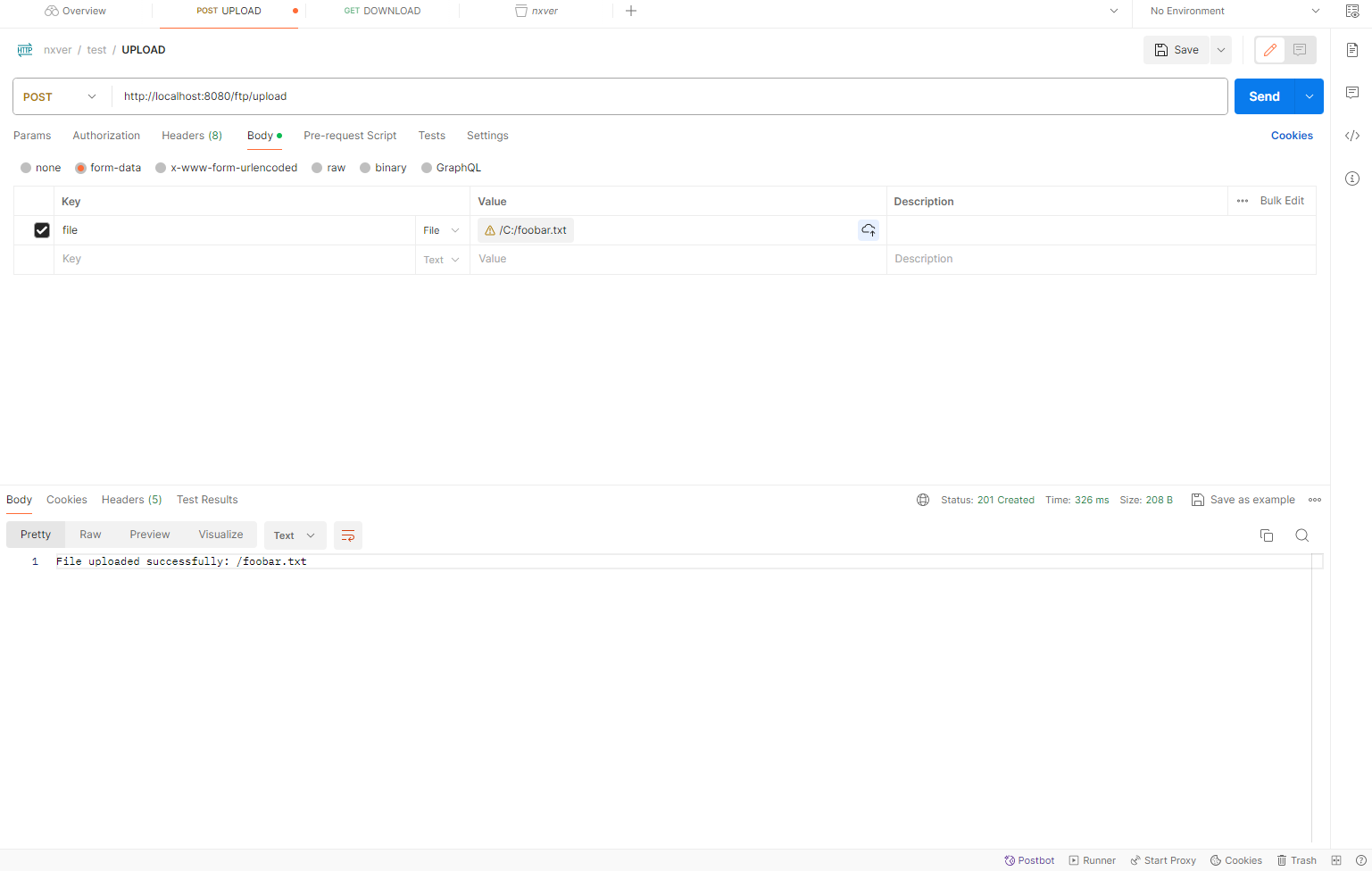
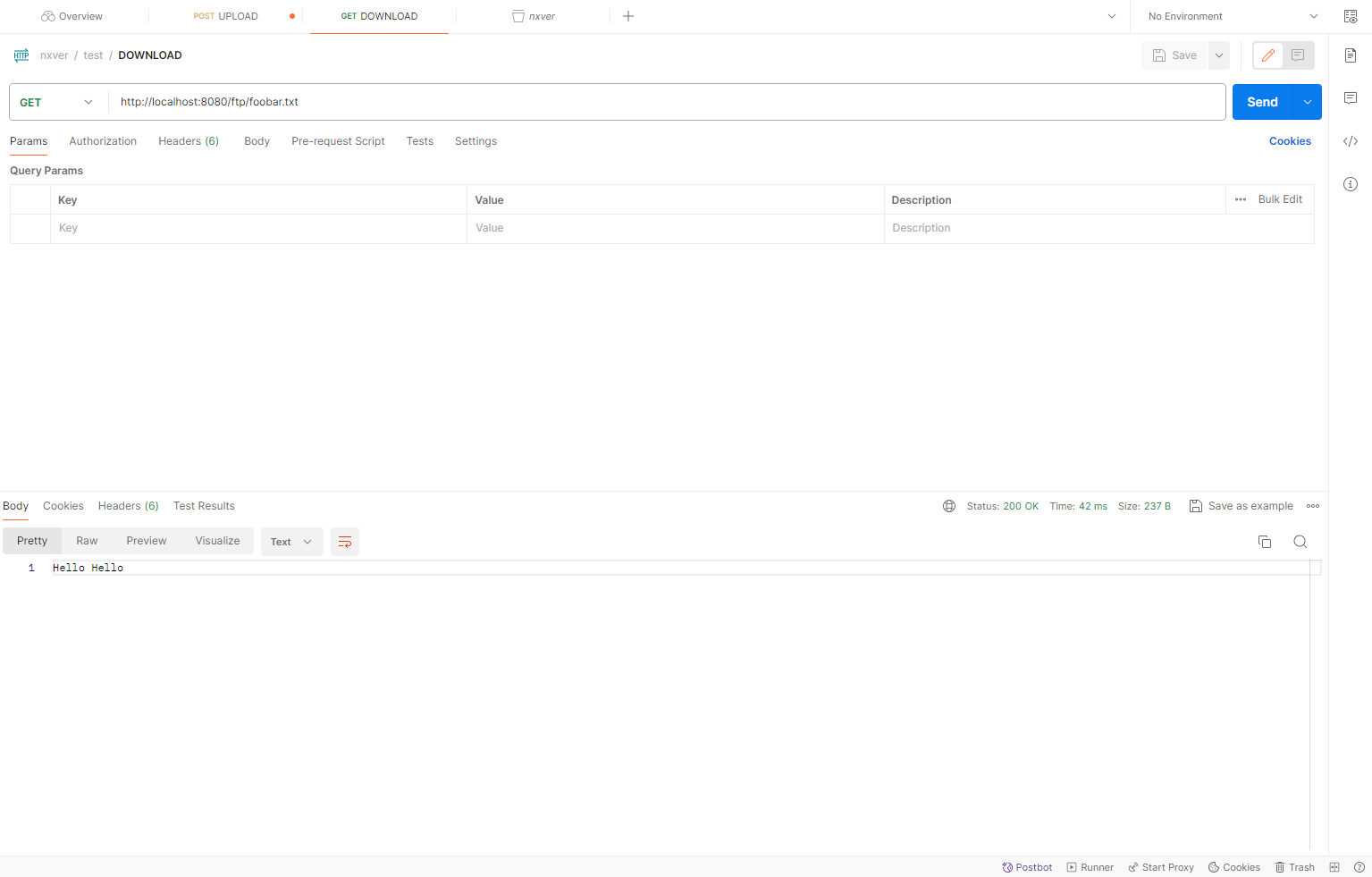
4. 코드를 활용한 테스트
라이브러리 추가
testImplementation("org.mockftpserver:MockFtpServer:3.1.0")
테스트 코드 작성
package com.kimc

import org.junit.jupiter.api.Test
import org.springframework.boot.test.context.SpringBootTest
import java.io.File
import java.io.OutputStream
import java.net.URL
import java.nio.file.Files
import java.nio.file.Paths

@SpringBootTest
class FtpClientSpringApplicationTests {

    val port = 21
    val username = "one"
    val password = "1234"

    @Test
    fun contextLoads() {
    }

    @Test
    fun givenRemoteFile_whenDownloading_thenItIsOnTheLocalFilesystem() {
        val ftpUrl = "ftp://${username}:${password}@localhost:${port}/foobar.txt"
        val urlConnection = URL(ftpUrl).openConnection()
        val inputStream = urlConnection.getInputStream()
        Files.copy(inputStream, File("download_test2.txt").toPath())
        inputStream.close()
        assert(File("download_test2.txt").exists())
        File("download_test2.txt").delete()
    }

    @Test
    fun givenLocalFile_whenUploadingIt_thenItExistsOnRemoteLocation() {
        val localFilePath = "C://foobar.txt"
        val remoteFilePath = "/file.txt"

        val ftpUrl = "ftp://${username}:${password}@localhost:${port}${remoteFilePath}"
        val urlConnection = URL(ftpUrl).openConnection()
        val outputStream: OutputStream = urlConnection.getOutputStream()
        Files.copy(Paths.get(localFilePath), outputStream)

        outputStream.close()

        // Optionally, you can add assertions here to verify the success of the upload
        val remoteFileUrl = "ftp://${username}:${password}@localhost:${port}${remoteFilePath}"
        val remoteUrlConnection = URL(remoteFileUrl).openConnection()
        val remoteInputStream = remoteUrlConnection.getInputStream()
        val remoteFileContent = remoteInputStream.reader().readText()
        remoteInputStream.close()

        assert(remoteFileContent.isNotEmpty())
    }

}

성공 :)
참조 및 인용
https://hub.docker.com/r/delfer/alpine-ftp-server/
Docker
hub.docker.com
https://docs.spring.io/spring-integration/reference/ftp.html
FTP/FTPS Adapters :: Spring Integration
There are two actors when it comes to FTP communication: client and server. To transfer files with FTP or FTPS, you use a client that initiates a connection to a remote computer that is running an FTP server. After the connection is established, the client
docs.spring.io
블로그 추천 포스트
https://codemasterkimc.tistory.com/50
300년차 개발자의 좋은 코드 5계명 (Clean Code)
이번 글을 통해 배워갈 내용 좋은 코드(Clean Code)를 작성하기 위해 개발자로서 생각해볼 5가지 요소를 알아보겠습니다. 개요 좋은 코드란 무엇일까요? 저는 자원이 한정적인 컴퓨터 세상에서 좋
codemasterkimc.tistory.com
오늘도 즐거운 코딩 하시길 바랍니다 ~ :)
'Spring' 카테고리의 다른 글
| 도커 네트워크에서 프로메테우스, 스프링 부트 및 스프링 시큐리티 마스터하기: 종합 가이드 (0) | 2024.01.10 |
|---|---|
| 프로메테우스, 그라파나, 집킨으로 스프링 부트 모니터링 하는 한가지 방법 (0) | 2023.11.24 |
| https를 사용하지 않는 Spring OAuth 리디렉션_uri 해결방법 (0) | 2023.09.14 |
| Spring JPA entity in Kotlin Class (0) | 2023.08.21 |
| Spring Social Login Spring Boot 3.1.1 버전으로 업하면서 생긴 버그 픽스 (0) | 2023.07.18 |