Javascript/웹 기타
VS 코드에서 HTML 템플릿 생성 단축키
kimc
2021. 7. 10. 10:01

이번 글을 통해 배워갈 내용
- VS 코드에서 HTML 코드 템플릿을 단축키로 생성하는 법을 배워보겠습니다.
HTML 파일 생성후 코드 입력 란 클릭후


SHIFT + ! 버튼을 누르시고
엔터 치시면
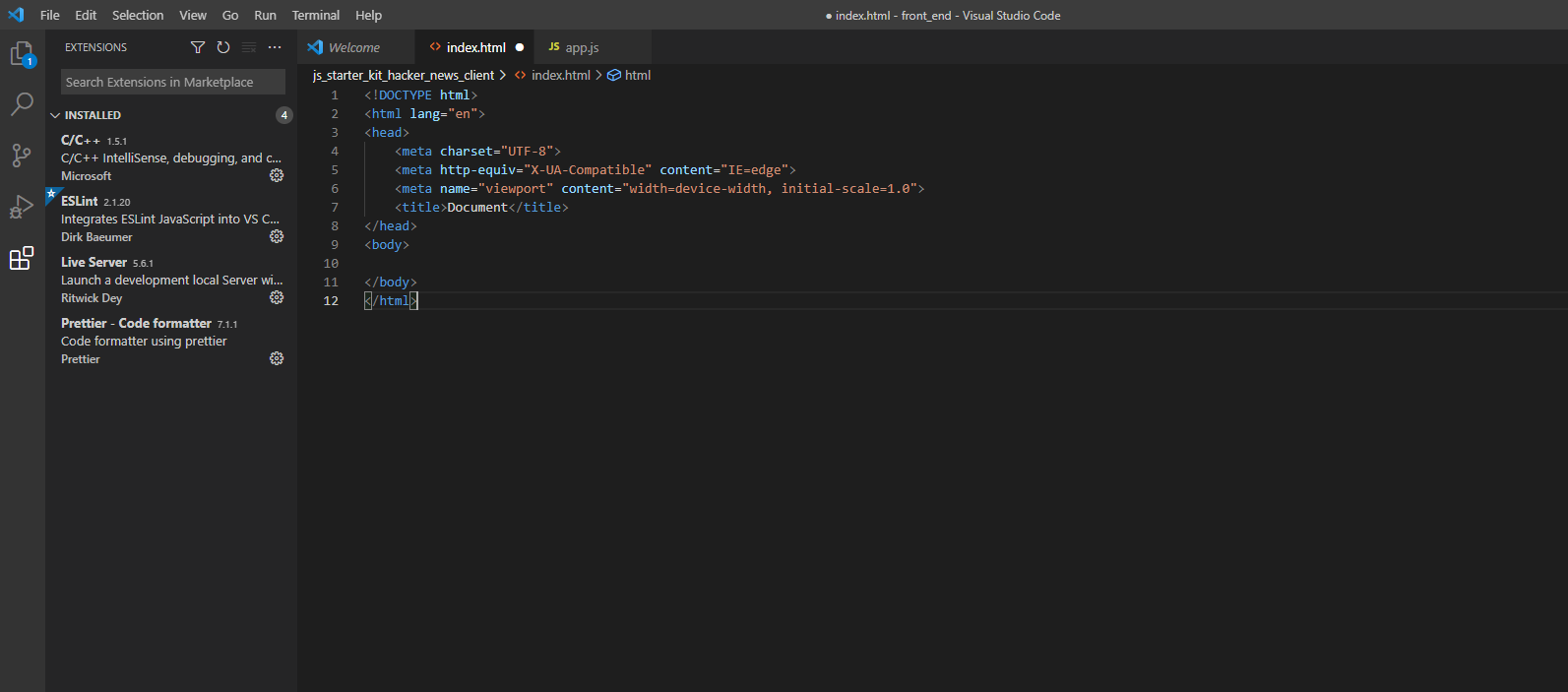
<!DOCTYPE html>
<html lang="en">
<head>
    <meta charset="UTF-8">
    <meta http-equiv="X-UA-Compatible" content="IE=edge">
    <meta name="viewport" content="width=device-width, initial-scale=1.0">
    <title>Document</title>
</head>
<body>

</body>
</html>
위와 같이 기본 HTML이 생성됩니다.
읽어주셔서 감사합니다 좋은 하루 되세요~
출처 및 인용
https://code.visualstudio.com/docs/languages/html
HTML Programming with Visual Studio Code
Get the best out of Visual Studio Code for HTML development
code.visualstudio.com
728x90