(MFC 꿀팁)MFC에서 TRACE로 파일명, 해당위치 출력하기

MFC에서 TRACE로
현재 파일
__FILE__
현재 함수
__FUNCTION__
현재 줄
__LINE__
을 출력하는 기능을 활용해서
TRACE와 결합해
문제가 발생하는 경우 위치를 정확하게 출력할 수 있다.
방법 1
본좌의 경우 아래와 같이 활용한다.
TRACE("[%s %s %s]", __FILE__, static_cast<int32_t>(__LINE__), "문구");
방법 2
C++ 20 버전 이상이라면 아래와 같이 매크로 없이 정상적인 방법으로 활용도 가능하다.
#include <iostream>
#include <string_view>
#include <source_location>

namespace my::lib
{
    void print(std::string_view message, const std::source_location& location)
    {
        std::cout << "\n파일명 : " << location.file_name() << "\n줄 : " << location.line() << "\n함수명 " << location.function_name();
    }
}


int main() {
    my::lib::print("Hello world!", std::source_location::current());
}
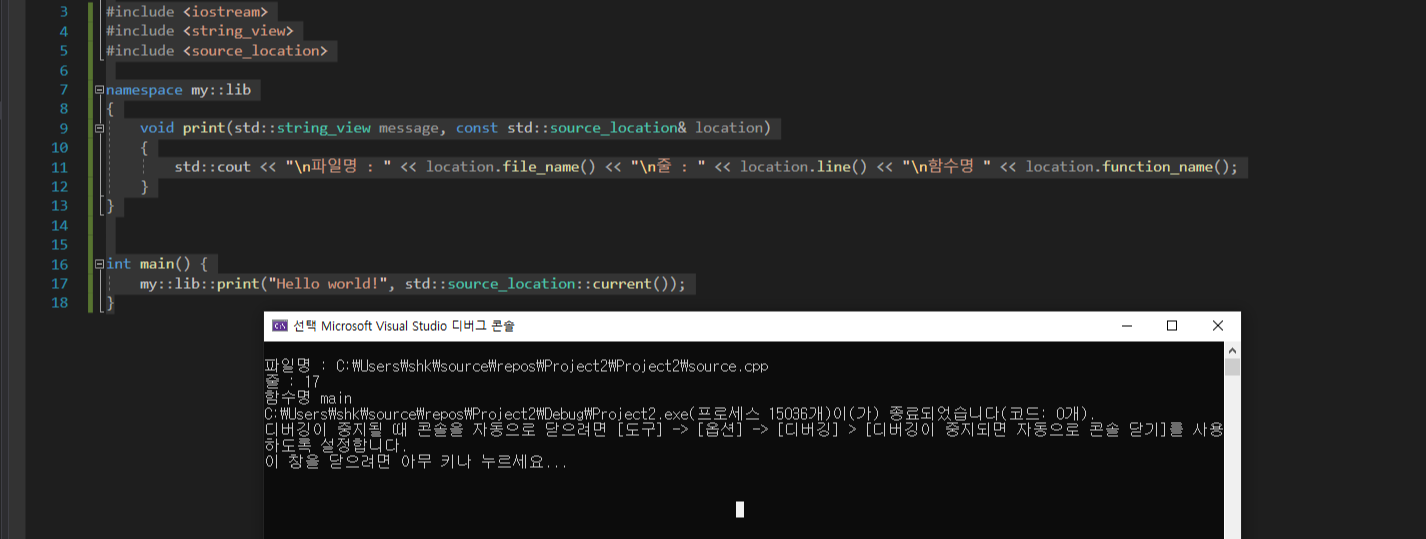
참조
https://docs.microsoft.com/en-us/visualstudio/debugger/mfc-debugging-techniques?view=vs-2019
MFC Debugging Techniques - Visual Studio (Windows)
Learn techniques for debugging MFC programs, including: coded breakpoints, tracing, memory leak detection, object memory dumps, and program size reduction.
docs.microsoft.com
https://en.cppreference.com/w/cpp/utility/source_location
std::source_location - cppreference.com
struct source_location; (since C++20) The source_location class represents certain information about the source code, such as file names, line numbers, and function names. Previously, functions that desire to obtain this information about the call site (fo
en.cppreference.com