Maven으로 다중 모듈을 만들어서 배포해보겠습니다.
스프링이나 메이븐에 대한 기초지식이 있다고 가정하고 진행합니다.
간단한 컨트롤러를 만들고
모듈끼리 연동한것을 Azure App Service에 배포합니다.
인텔리제이를 썻습니다만
이클립스로 따라 하셔도 무방합니다.
프로젝트를 만듭니다.
Artifact, name, directory 등 현재 페이지는 크게 신경 쓸게 없습니다.
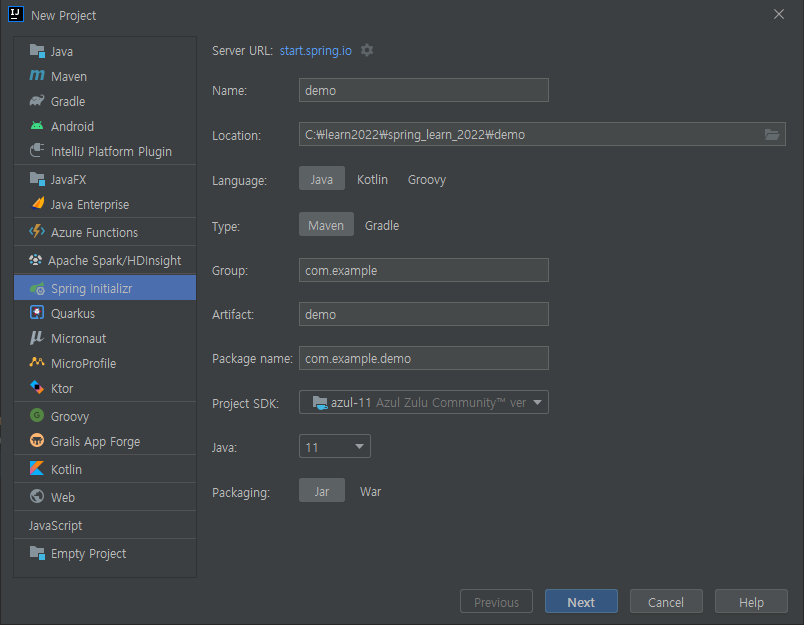
두 번째 페이지도 동일합니다.
추가 없이 진행합니다.

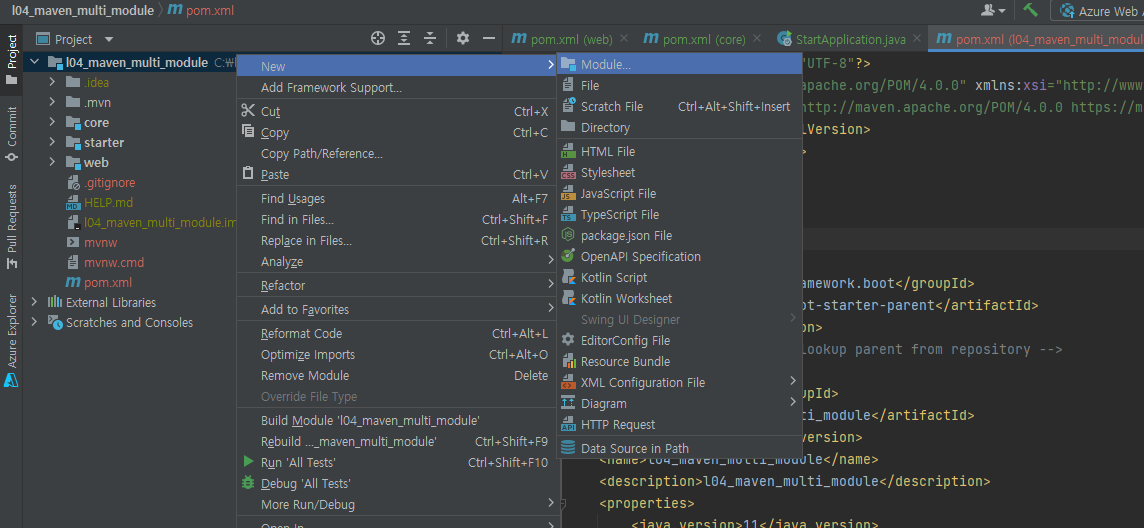
프로젝트에 마우스 올리고
New -> Module을 생성해줍니다.
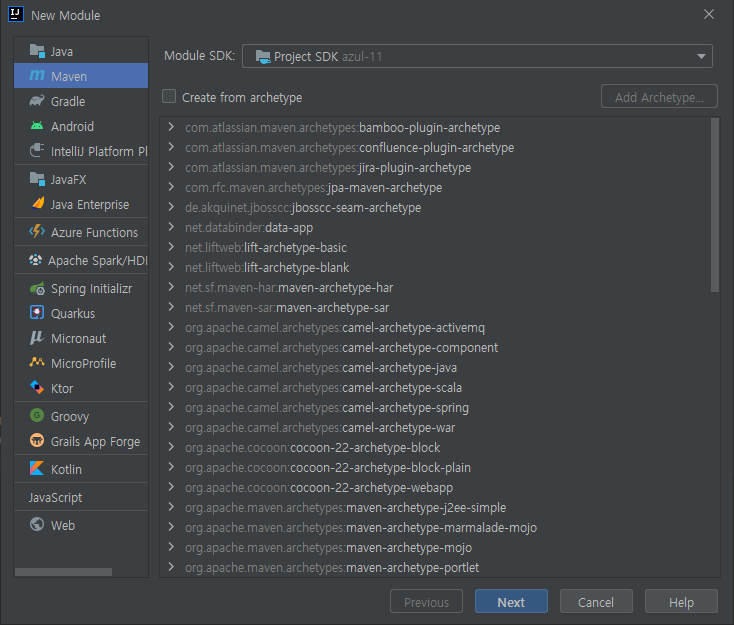
Maven 기반에 이름을 설정하고 OK를 합니다.
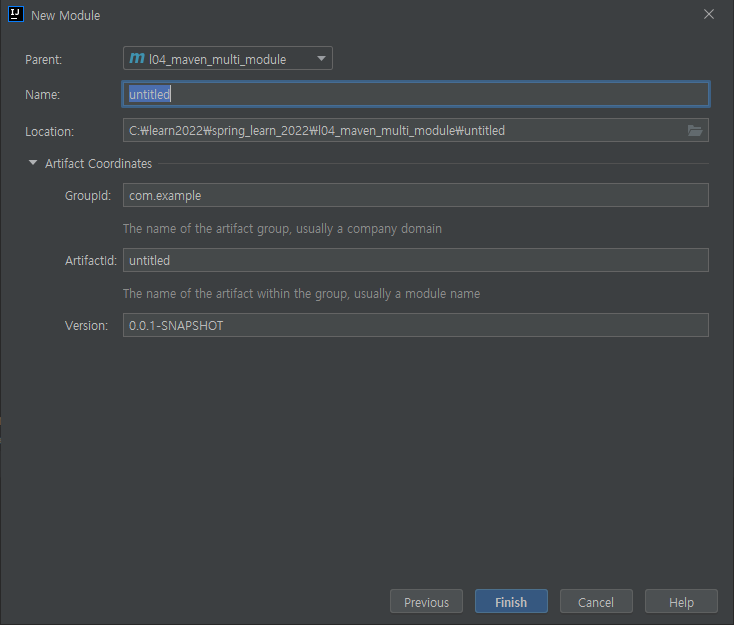
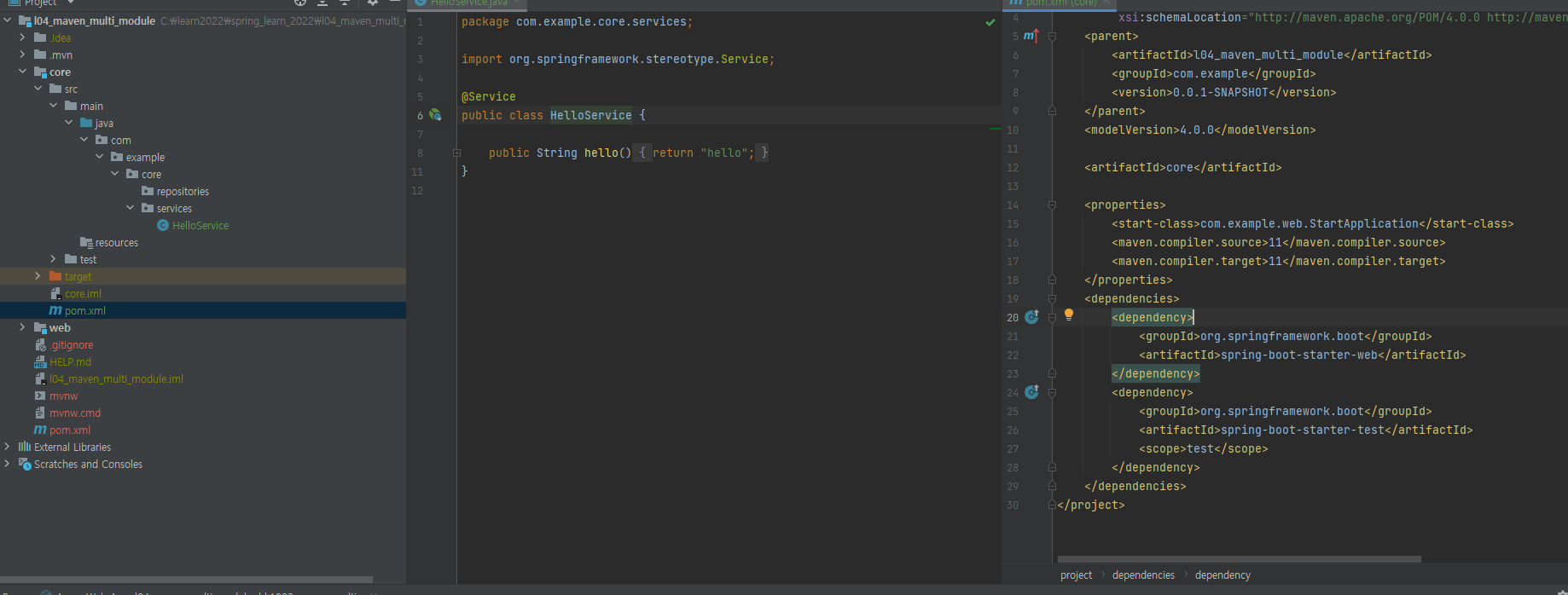
저는 core, web 모듈을 만들었고
web 모듈은 core에 종속적입니다.
core 모듈은 다음과 같습니다.
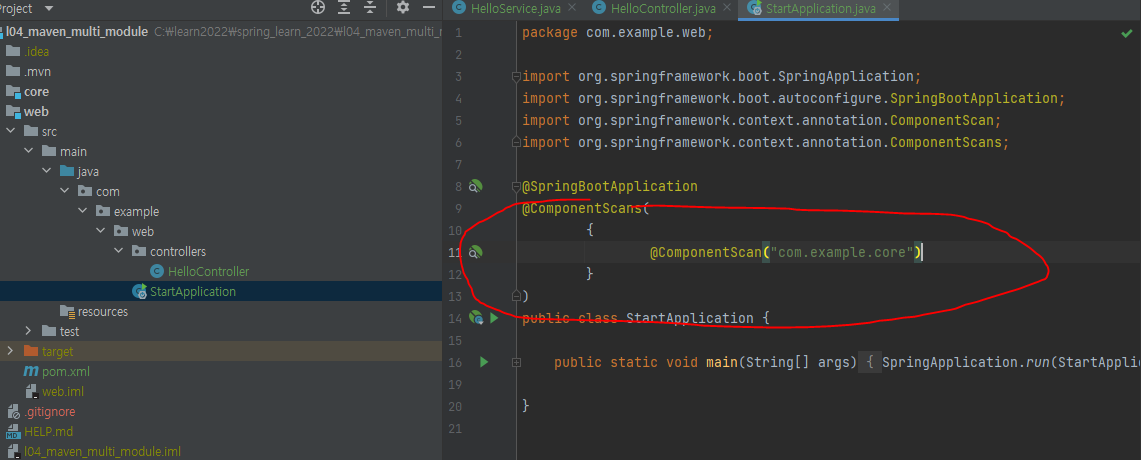
web 모듈은 다음과 같습니다.
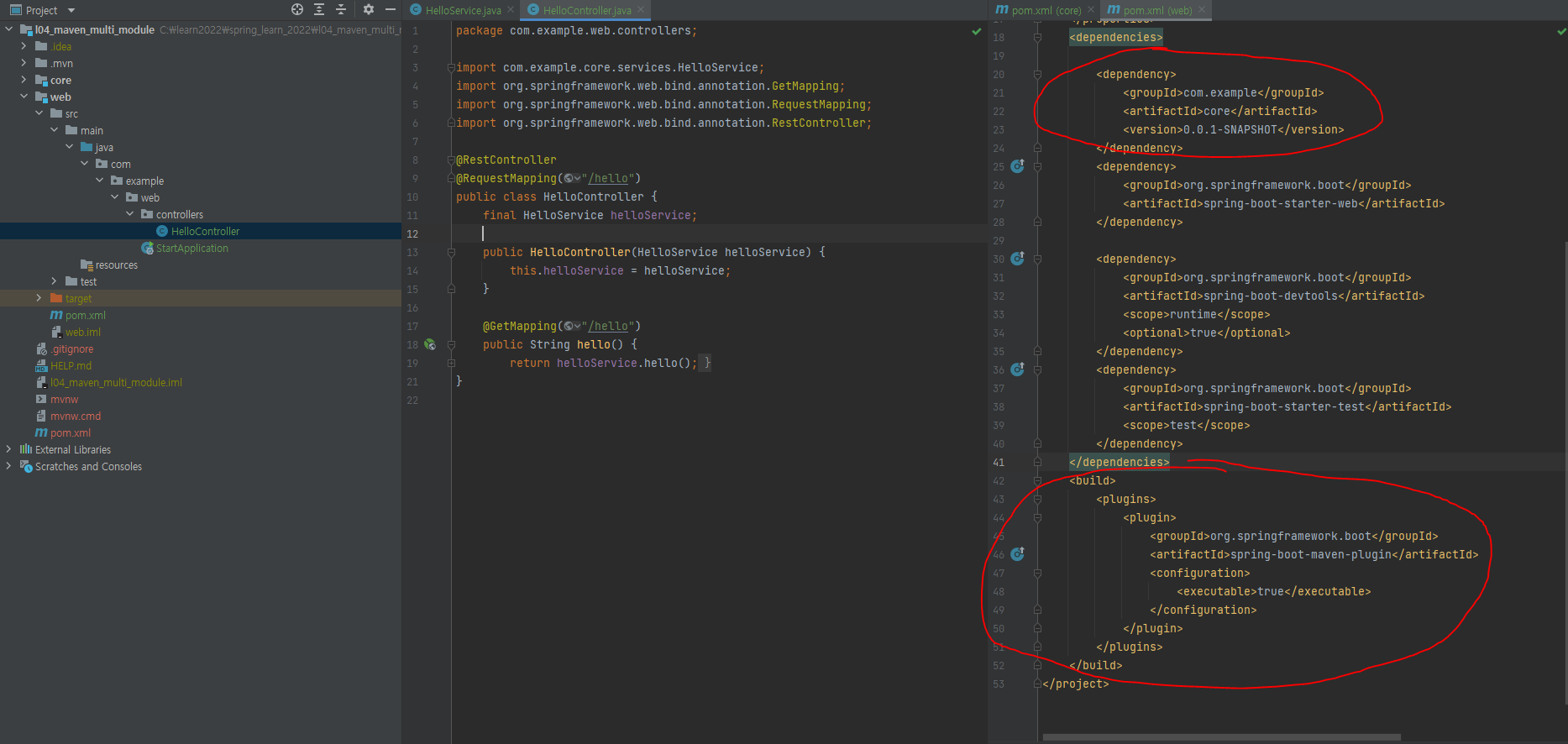
부모 POM
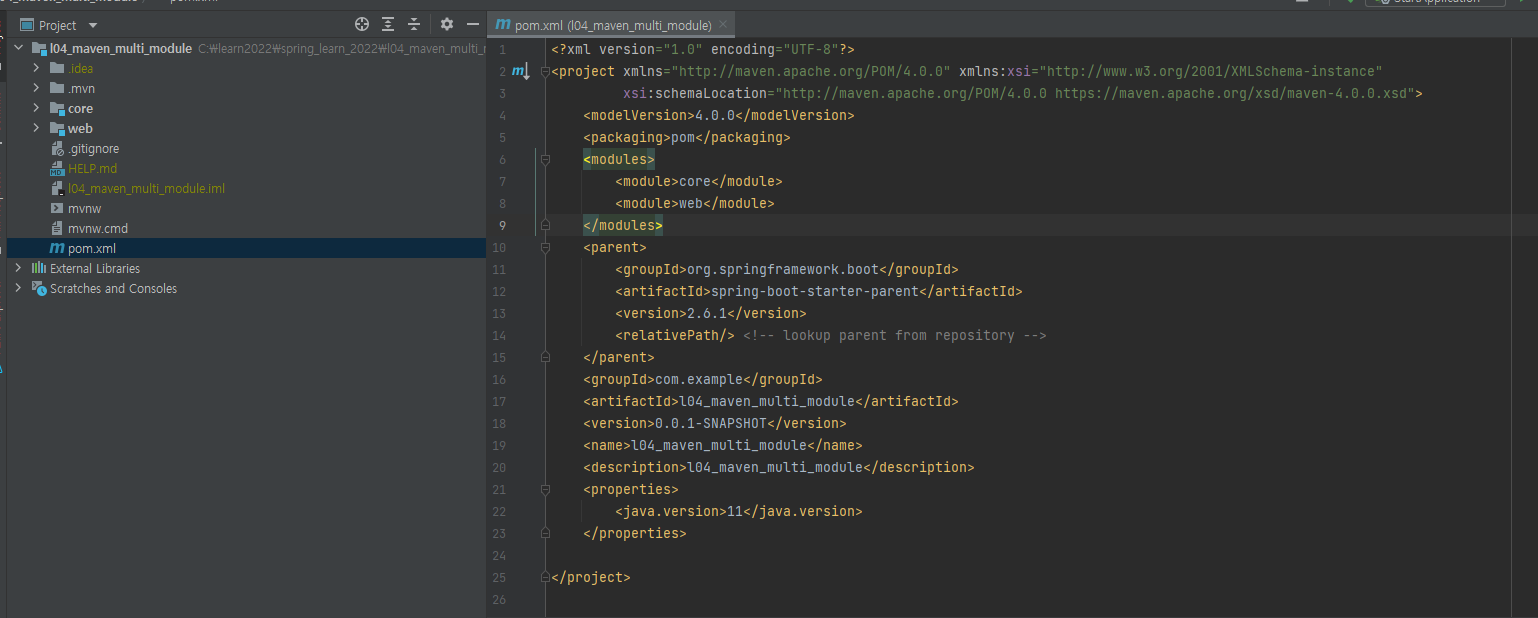
maven clean package 해주고
maven compile 도 해서
web 모듈에 jar 파일을 확인해주시고
실행도 해봅니다.

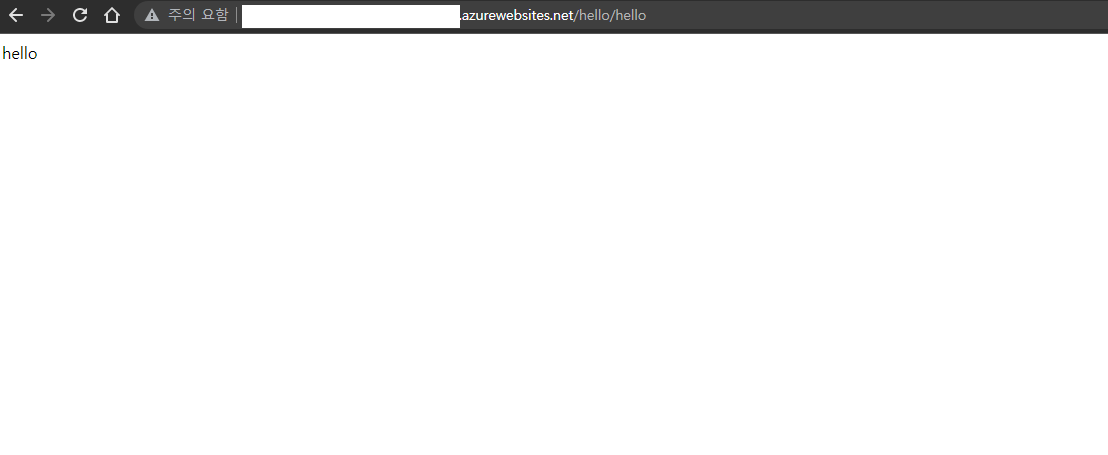
문제가 없다면 Azure에 배포합니다.

azure app service에 정상 배포되었습니다.

발생할 수 있는 오류는
1.
Cannot resolve symbol 'HelloService'
Could not autowire. No beans of 'HelloService' type found.
Cannot resolve method 'hello()'
의 경우
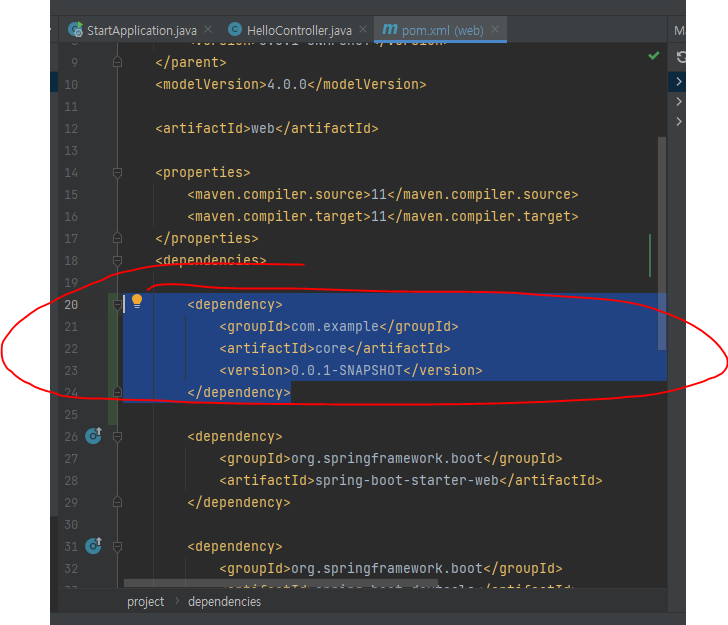
dependency 추가 다시 확인
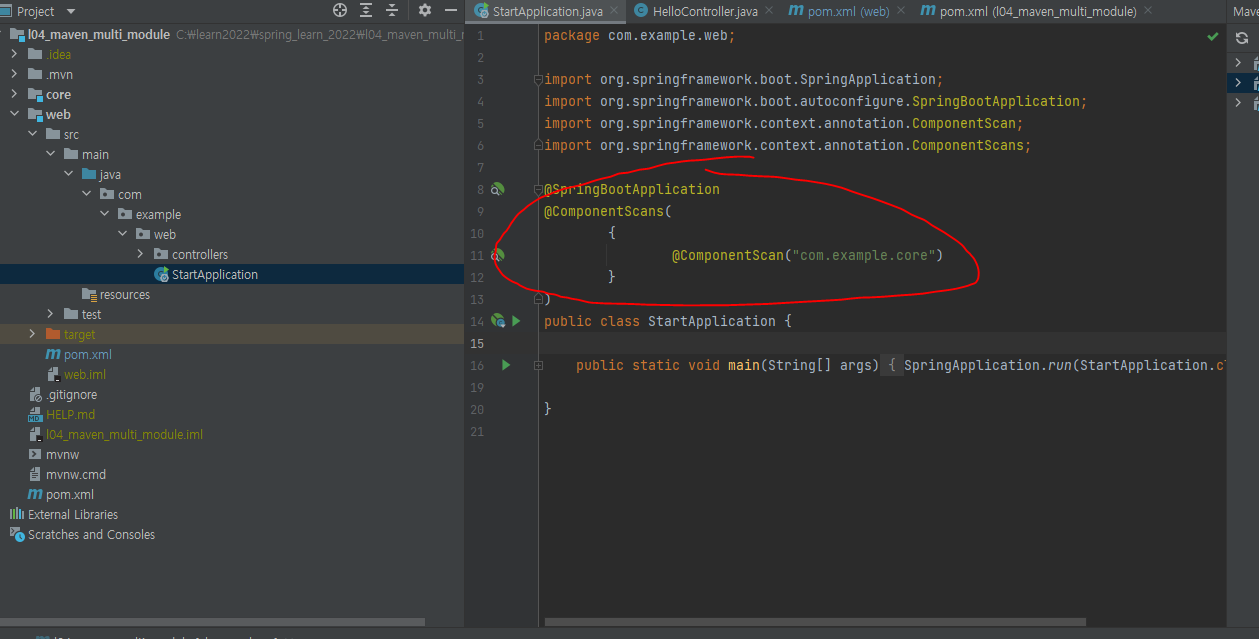
package 경로 확인 및 Component Scan Annotation 추가
2.
jar 파일이 없거나 실행이 안될 경우
build 추가 후에 부모 프젝트 clean package
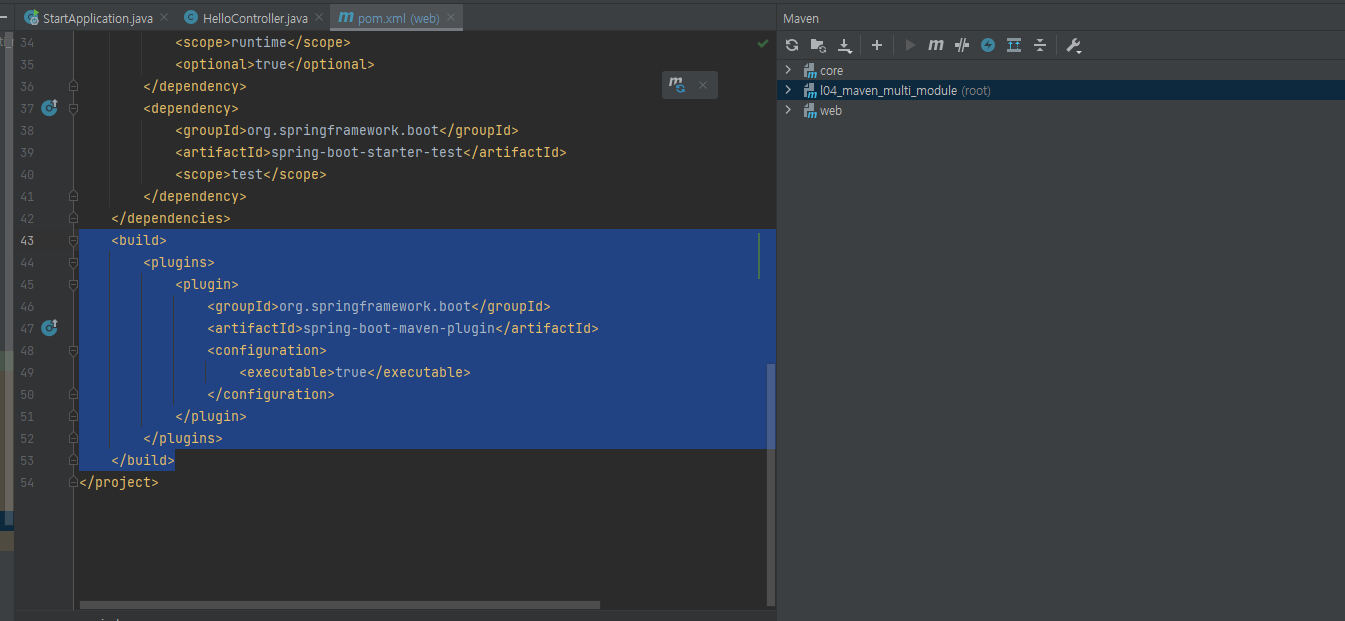
참조
"Unable to find main class" with Maven on spring-boot project in Eclipse
I am pretty desperate since I no longer can compile my Maven projects. I have one logical project split into 7 maven modules which so far compiled fine, but today I introduced a feature, whereby I
stackoverflow.com
How to deploy maven multi-module spring boot to docker container
I'm setting up a multi-module maven project and trying to deploy it to docker a typical 3 layer project whit a separate container for a MYSQL DB. I've been doing so research on the web and I came
stackoverflow.com
intellij incorrectly saying no beans of type found for autowired repository
I have created a simple unit test but IntelliJ is incorrectly highlighting it red. marking it as an error No beans? As you can see below it passes the test? So it must be Autowired?
stackoverflow.com
https://stackoverflow.com/questions/41740349/maven-multi-module-dependency-package-not-found
Maven Multi-module dependency package not found
I've got a multi module project: The parent POM.xml: <?xml version="1.0" encoding="UTF-8"?> <project xmlns="http://maven.apache.org/POM/4.0.0" xmlns:xsi="http://www.w3.org/2001/
stackoverflow.com
https://docs.microsoft.com/en-us/azure/spring-cloud/how-to-launch-from-source
How to - Launch your Spring Cloud application from source code
In this quickstart, learn how to launch your application in Azure Spring Cloud directly from your source code
docs.microsoft.com
'Spring' 카테고리의 다른 글
| Spring 초간단 Custom ORM을 만들며 배운 한가지 (0) | 2022.05.29 |
|---|---|
| h2-console "mem:testdb" not found 문제 해결하는 한가지 방법 (2) | 2022.04.09 |
| @PathVariable, @RequestParam, @RequestBody에 대한 한가지 생각 (0) | 2022.02.17 |
| 스프링 부트 시작시간 줄이는 5가지 방법 (1) | 2022.02.09 |
| Java Bean Mapper 인 MapStruct 에 대해서 알아야 하는 한가지 (0) | 2022.01.15 |